
Collaborate with your team by enabling comments in the Widgets
You can comment on individual widgets on the site. You can toggle the Enable Comments option in the properties tab of individual widgets.
Commenting a widget
-
To enable comment for specific widget of dashboard, open the dashboard in design mode, click on the specific widget and go to the
Properties Tab, selectEnable Commentsunder theContainer Actionssection. This option is enabled by default.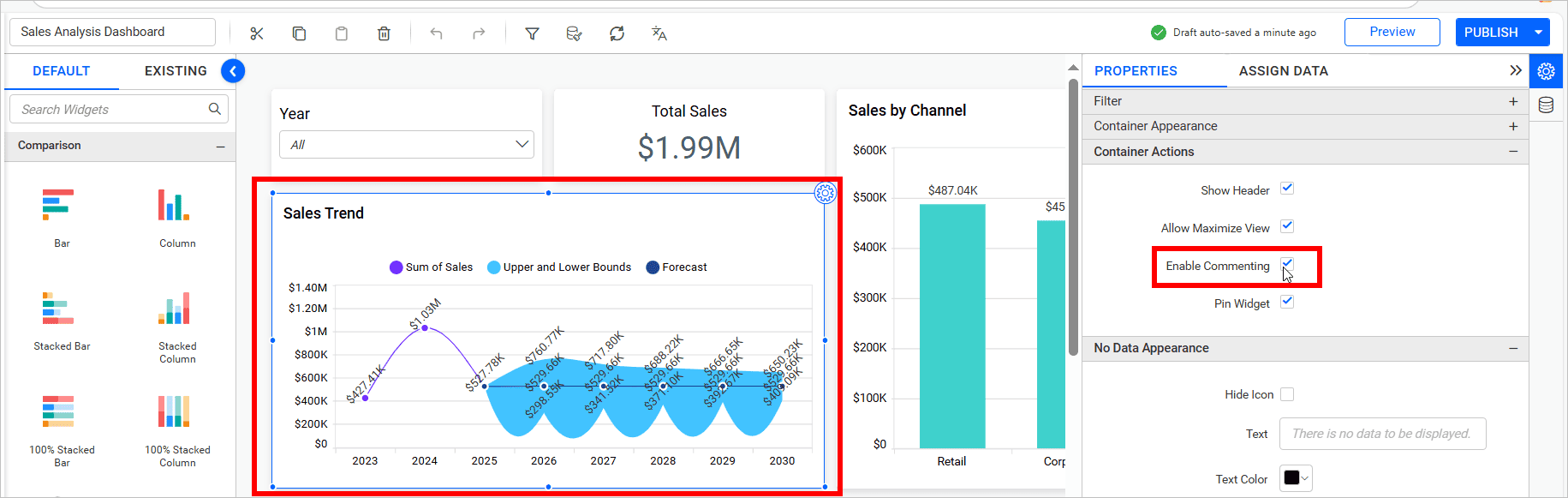
-
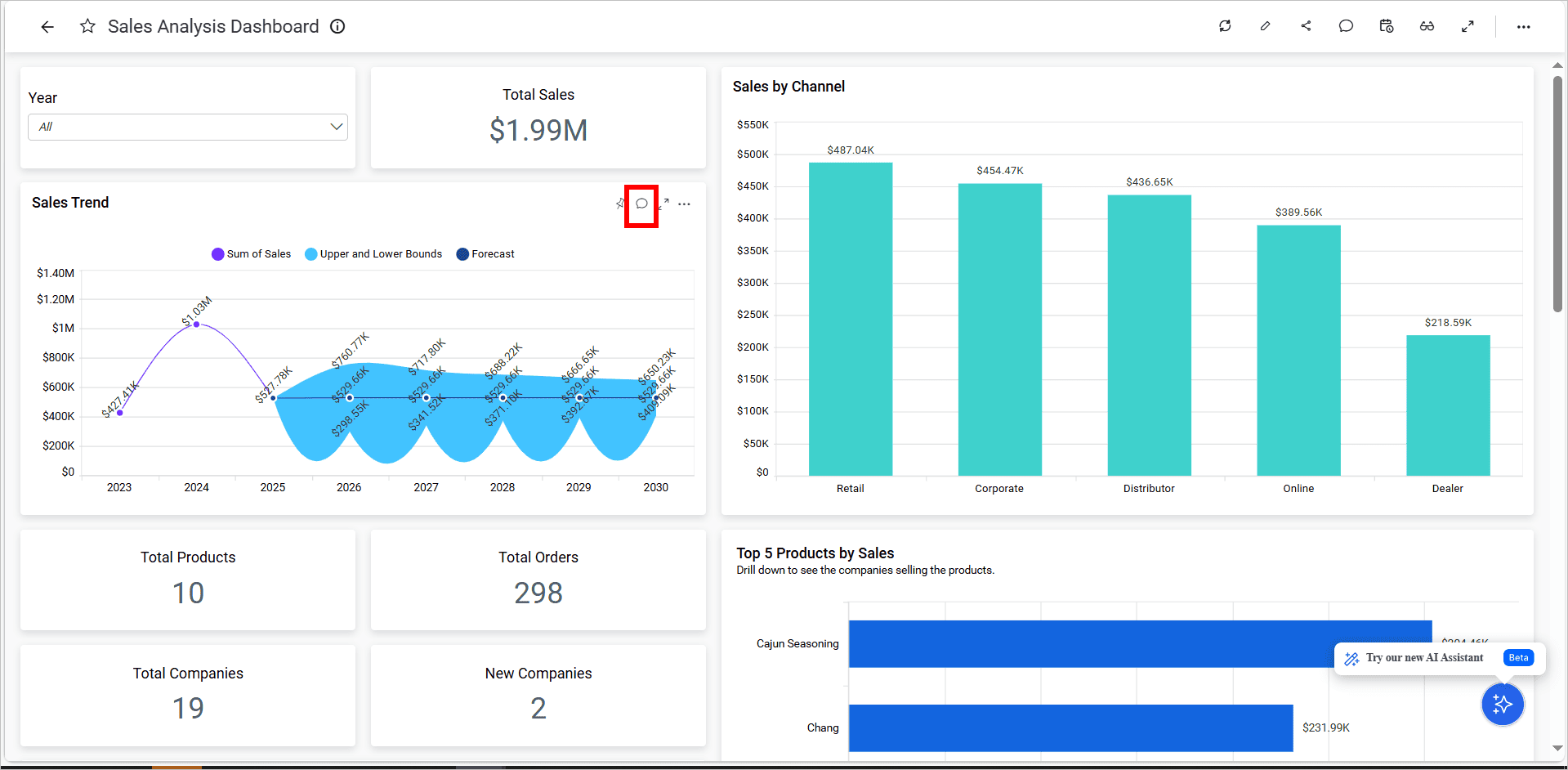
Once it is enabled and the dashboard is published, you could be able to see the comment icon in respective widget.
-
This feature promotes real-time discussions, enabling better decision-making and collaboration directly in the context of the data.
-
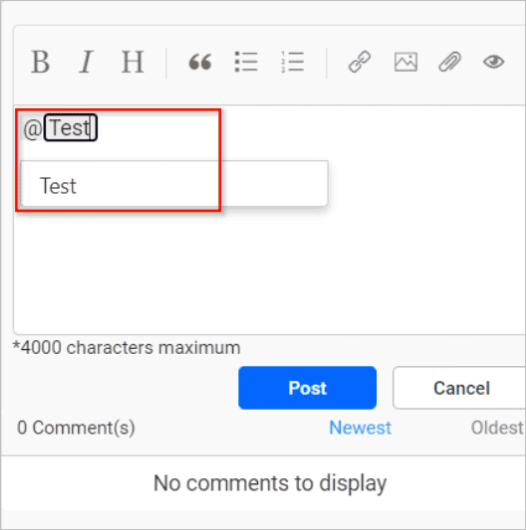
In Bold BI, users and groups with at least read permission for a specific dashboard will appear in the suggestion list when typing the “@” symbol in the comment section of a dashboard or widget. This feature facilitates effective team communication and collaboration by allowing users to tag relevant individuals or groups.
-
Users or groups without read permission for the dashboard will not appear in the suggestion list, ensuring suggestions are restricted to relevant participants.
- For public dashboards:
- All users and groups matching the search key will be shown in the suggestion list, even if they lack permission for the dashboard.
- For private dashboards:
- The suggestion list will include only users with direct permission for the dashboard. Users in groups that have read permission for the dashboard will not appear in the list unless granted direct access.
- For public dashboards:
NOTE: Label widgets do not have commenting support.