
Instructions to fine-tune a new OpenAI GPT 3.5 model
To run the OpenAI fine-tuning utility, follow these steps:
Steps to run in Windows
-
Open the Command Prompt: Press
Win + Ron your keyboard, typecmd, and enter to open the Command Prompt window. -
Navigate to the Directory: Use the
cdcommand to change directories to where the OpenAI trainer utility is located.cd <:INSTALLED_DIRECTORY>\BoldServices\utilities\openai_trainer -
Execute the Application: Once in the correct directory, run the executable file by typing the following command, replacing
<:API_KEY>with your actual OpenAI API key.OpenAITrainer.exe -provider OpenAI -OpenAIKey <:API_KEY>Ensure to replace
<:API_KEY>with the API key provided to you by OpenAI.
NOTE : You can generate your API key by visiting the OpenAI portal at https://platform.openai.com/api-keys.

Steps to run in Linux
-
Open a Terminal: Open a terminal using the appropriate key combination (e.g.,
Ctrl + Alt + T). -
Navigate to the Directory: Use the
cdcommand to change directories to where the OpenAI trainer utility is located.cd /var/www/bold-services/application/utilities/openai_trainer -
Once in the correct directory, run the dll file by typing the following command, replacing
<:API_KEY>with your actual OpenAI API key./var/www/bold-services/dotnet/dotnet OpenAITrainer.dll -provider OpenAI -OpenAIKey <:API_KEY>
Steps to run in Docker
-
Run the following command to list all the containers and note the
BoldBI container name.docker ps -
Execute the following command for bashing boldbi running container.
docker exec -it <BoldBI container name> bash -
Navigate to the Directory: Use the
cdcommand to change directories to where the OpenAI trainer utility is located.cd /application/utilities/openai_trainer -
Once in the correct directory, run the dll file by typing the following command, replacing
<:API_KEY>with your actual OpenAI API key.dotnet OpenAITrainer.dll -provider OpenAI -OpenAIKey <:API_KEY>
Once the training and validation JSONL files are uploaded for fine-tuning a machine-learning model, the system will begin processing the data. During this time, you will receive a jobId, which is a unique identifier for your fine-tuning task. This ID allows you to track the progress of your fine-tuning job.
Status of fine-tuning
The system will also provide you with status updates. The status indicates the current stage of the fine-tuning process. Initially, the status will show as validating_files as the system prepares and starts the training with your data.
Subsequently, the status will transition to running and persist until the fine-tuning process succeeds or encounters a failure.
Hitting the esc key triggers the termination process for the ongoing fine-tuning task.
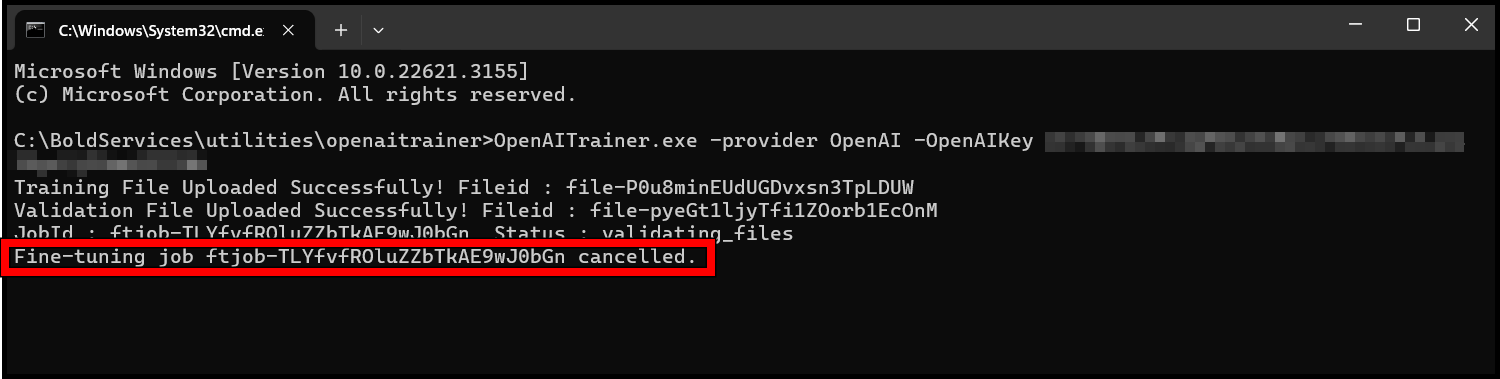
The status of the fine-tuning job will be displayed after every one minute.
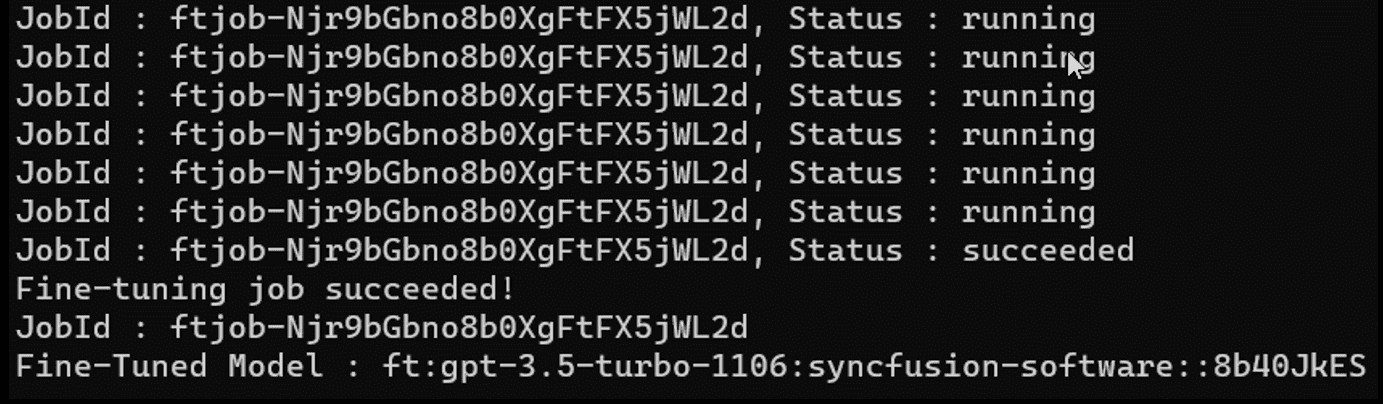
Post fine-tuning
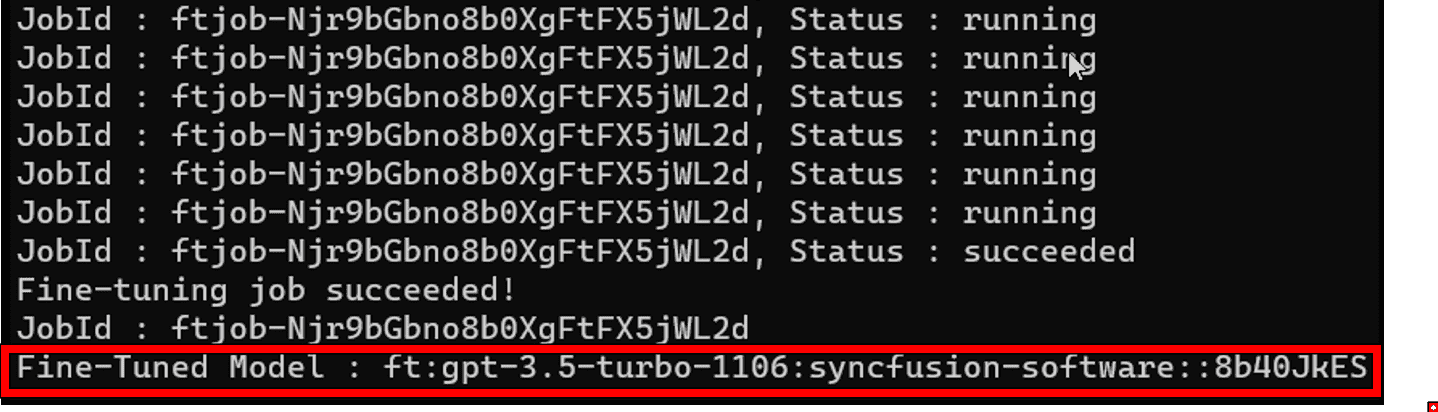
After a successful fine-tuning process, the console will display the name of the fine-tuned model. It is important to make a note of this model name for future use-cases and configure it in BoldBI.
NOTE : An error message will be displayed if an error occurs during the fine-tuning process.
Steps to update fine-tuned model name
Bold BI version between 7.1 and 7.5
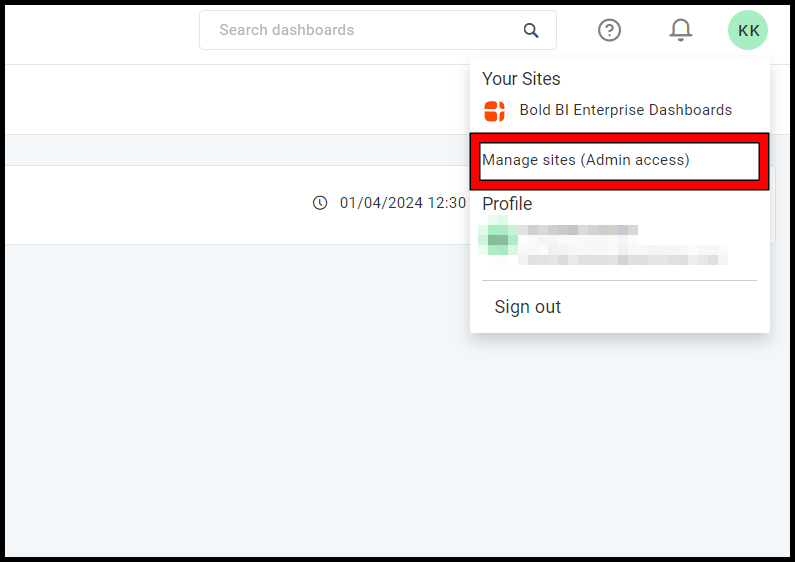
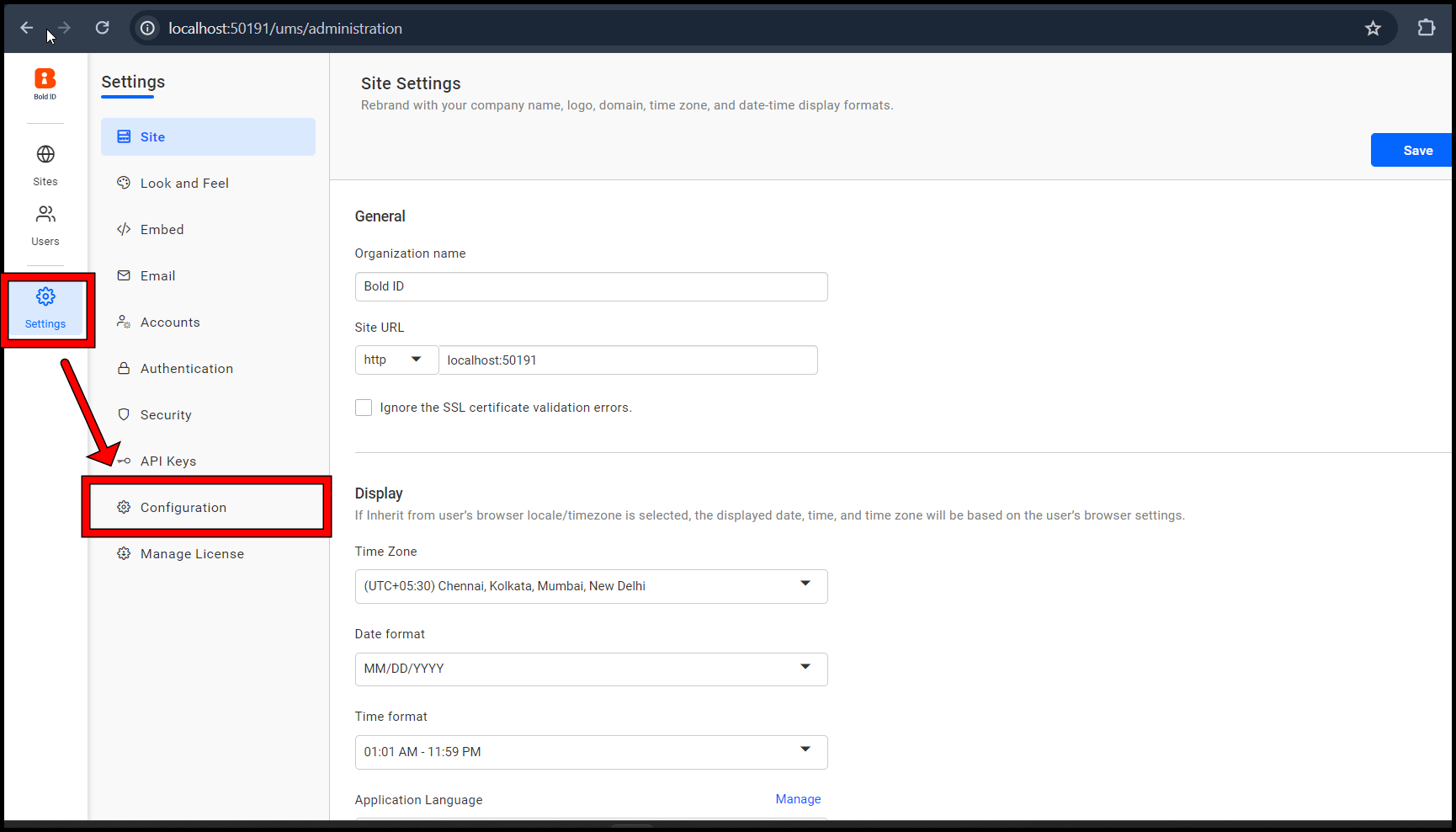
- Go to
Manage Sites.
- Inside the
Settingstab, go to theConfigurationtab.
- In the
config.jsonfile set the OpenAI key and OpenAI model fine-tuned name.
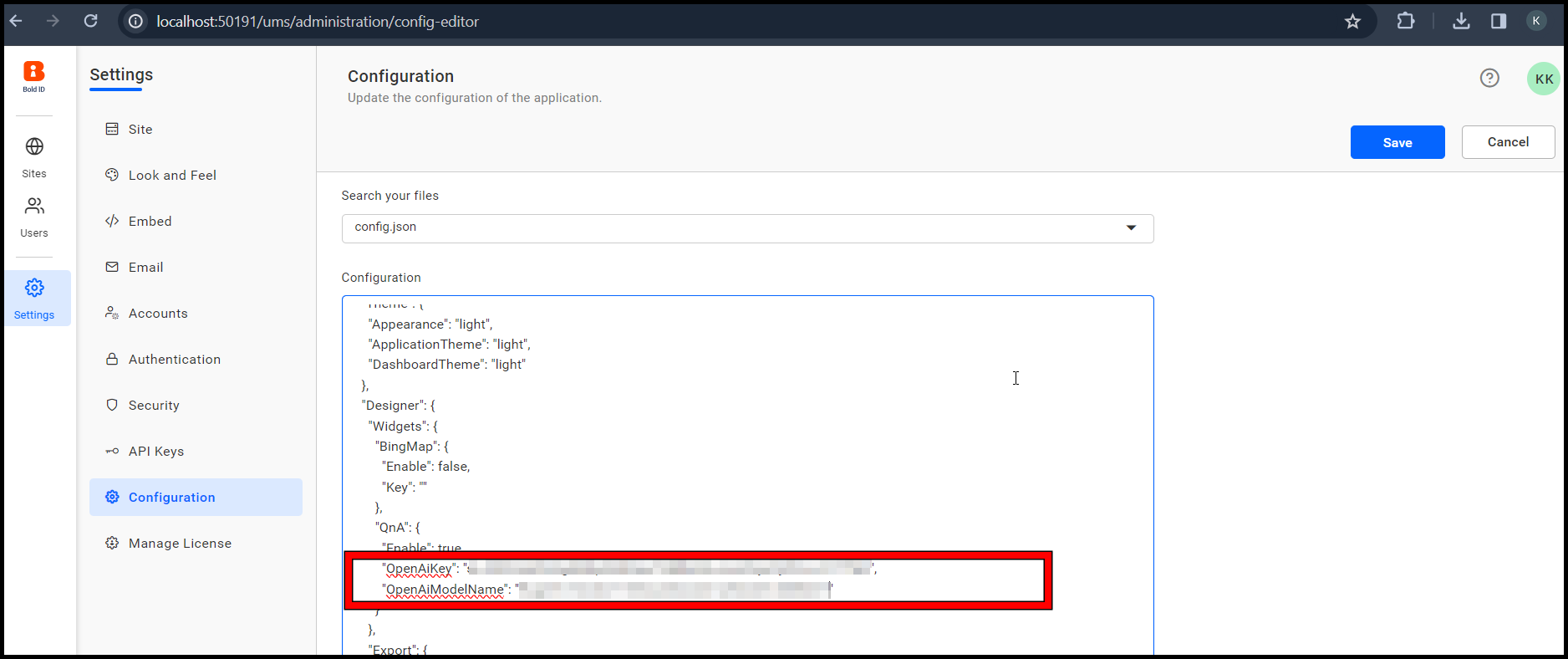
Syntax
"QnA": {
        "Enable": true,
        "OpenAiKey": "<:API_KEY>",
        "OpenAiModelName": "<:MODEL_NAME>"
}-
Replace
<:API_KEY>and<:MODEL_NAME>with your apiKey and fine-tuned model name. -
Restart the Internet Information Services (IIS) Manager and refresh the dashboard.
Bold BI version 7.5 or later
- Go to
Manage Sites.
- Inside
Settingstab and go theConfigurationtab.
- In the
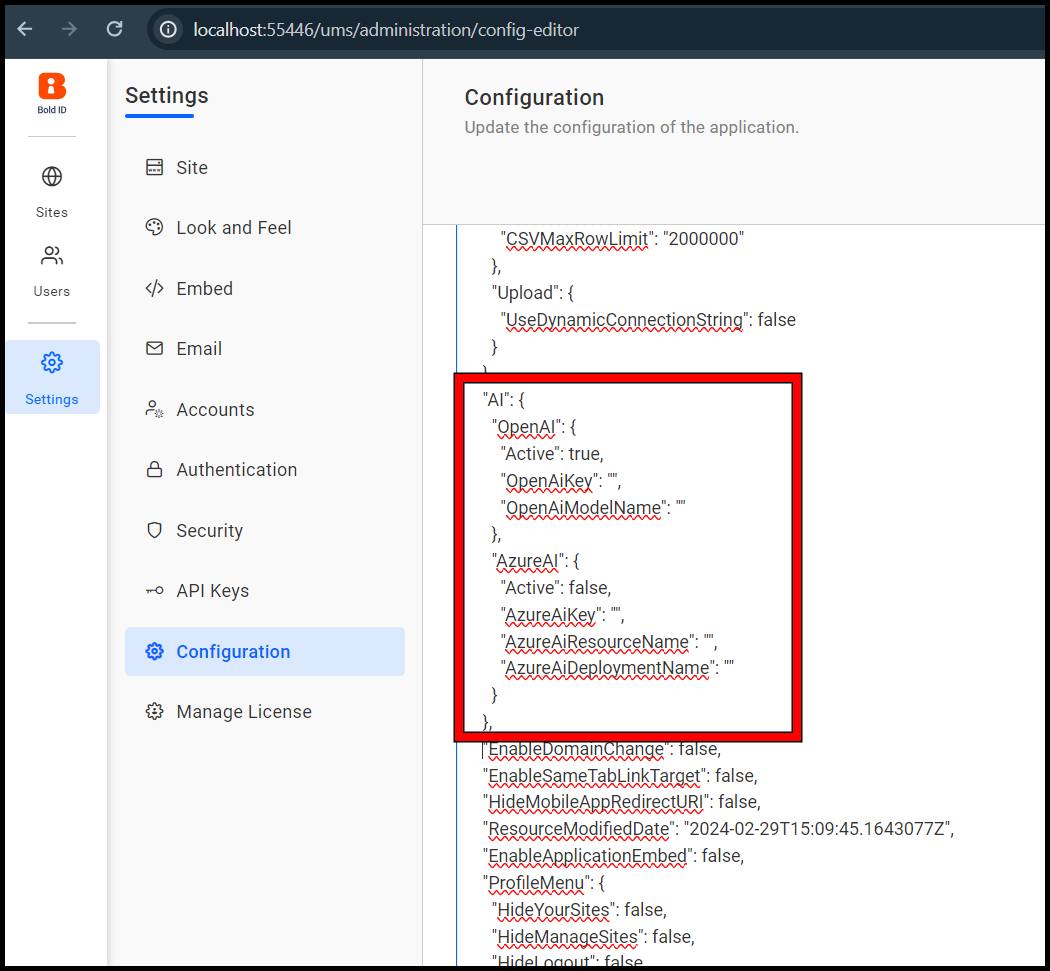
config.jsonfile you will find by default OpenAI Active astrueand AzureAI Active asfalse.
- Replace
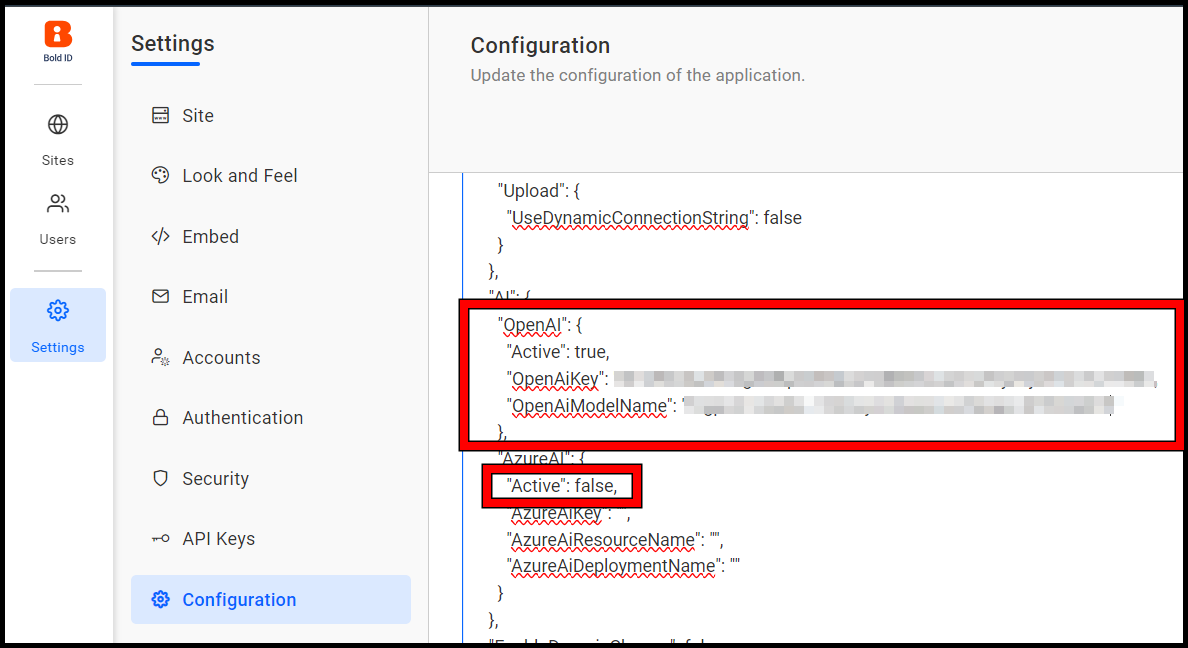
<:API_KEY>and<:MODEL_NAME>with your apiKey and fine-tuned model name.
Syntax
   "OpenAI":{
     "Active":true,
     "OpenAiKey": "<:API_KEY>",
     "OpenAiModelName": "<:MODEL_NAME>"
   }
NOTE Ensure the Active is
truefor OpenAI andfalsefor AzureAI.
- Restart the Bold BI services and open the dashboard.
NOTE: Fine-tuning once will cost approximately $25 USD. Each search in the Q&A widget will incur a cost based on the pricing of the OpenAI fine-tuned model (https://openai.com/pricing), where the number of input and output tokens depends on the question and the data sources connected to the dashboard.