Converting Timestamps and Transforming Data Using Bold Data Hub
In this article, we will demonstrate how to import tables from a CSV file, convert timestamps through transformations, and migrate the cleaned data into the destination database using Bold Data Hub. Follow the step-by-step process below.
Sample Data Source:
Creating Pipeline
Learn about Pipeline Creation
Applying Transformation
-
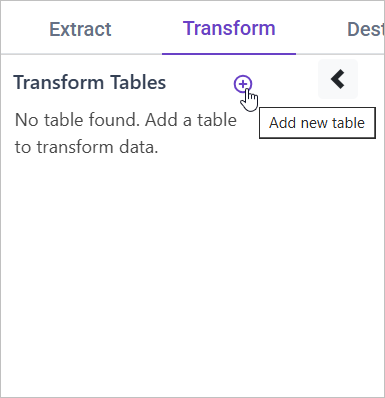
Go to the Transform tab and click Add Table.
-
Enter the table name to create a transform table for customer satisfaction summary.
Note: The data will initially be transferred to the DuckDB database within the designated {pipeline_name} schema before undergoing transformation for integration into the target databases. As an illustration, in the case of a pipeline named “customer_service_data”, the data will be relocated to the customer_service_data table schema.
Learn more about transformation here
Converting Timestamps
Overview
Raw timestamps are often stored in UNIX or numeric formats, making them difficult to interpret. Converting them into readable formats and adjusting them to the correct time zone improves data clarity and usability.
Approach
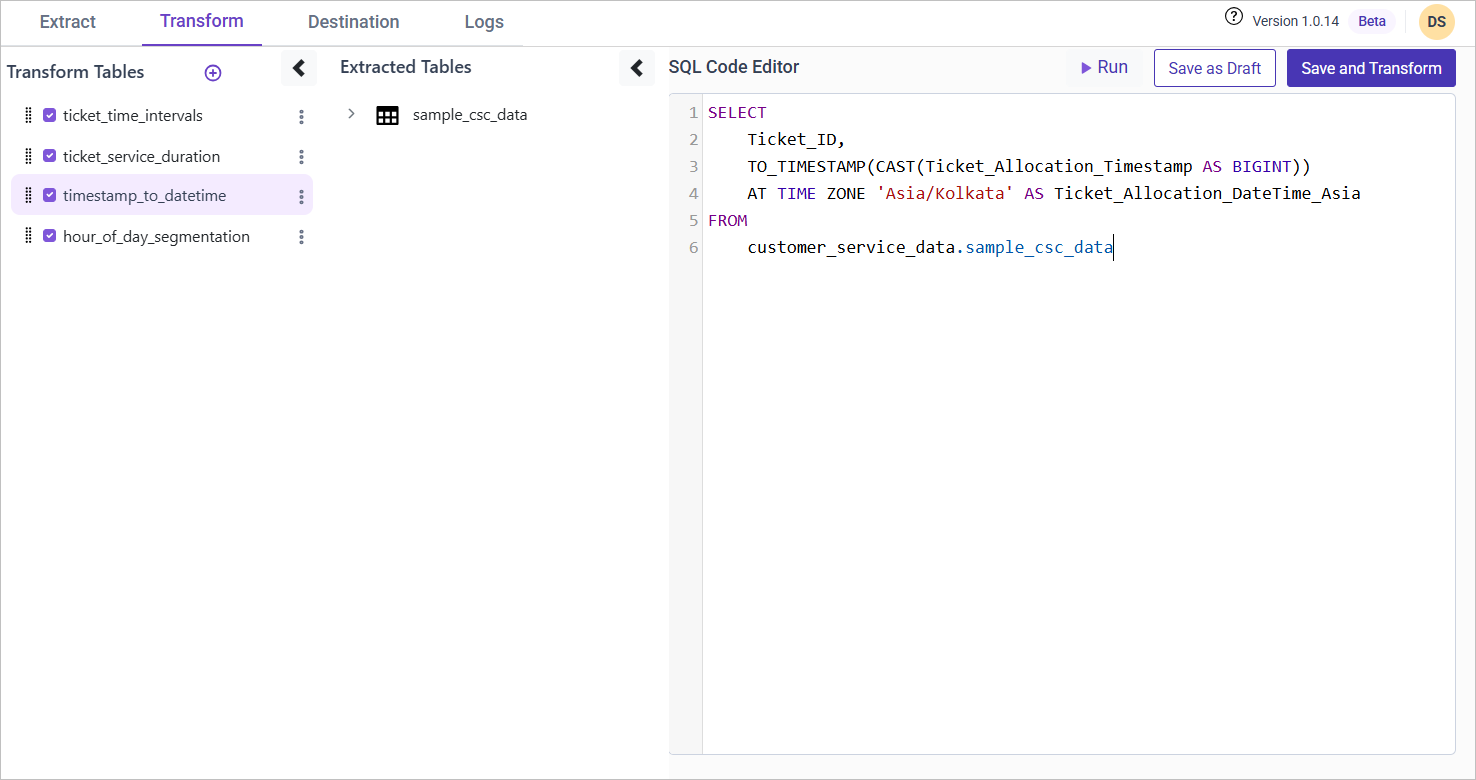
We use TO_TIMESTAMP to convert raw numeric timestamps into a readable datetime format and apply a time zone conversion to Asia/Kolkata.
SQL Query for Converting Timestamps
SELECT
    Ticket_ID,
    TO_TIMESTAMP(CAST(Ticket_Allocation_Timestamp AS BIGINT))
    AT TIME ZONE 'Asia/Kolkata' AS Ticket_Allocation_DateTime_Asia
FROM {pipeline_name}.sample_csc_data;