Data Type Conversion and Transforming Data Using Bold Data Hub
In this article, we will demonstrate how to import tables from a CSV file, perform data type conversions using transformations, and migrate the cleaned data to the destination database using Bold Data Hub. Follow the step-by-step process below.
Sample Data Source:
Creating Pipeline
Learn about Pipeline Creation
Applying Transformation
-
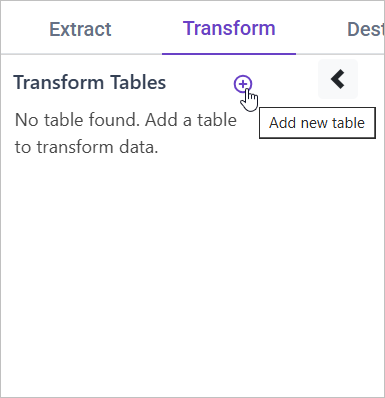
Go to the Transform tab and click Add Table.
-
Enter the table name to create a transform table for customer satisfaction summary.
Note: The data will initially be transferred to the DuckDB database within the designated {pipeline_name} schema before undergoing transformation for integration into the target databases. As an illustration, in the case of a pipeline named “customer_service_data”, the data will be relocated to the customer_service_data table schema.
Learn more about transformation here
Data Type Conversion
Overview
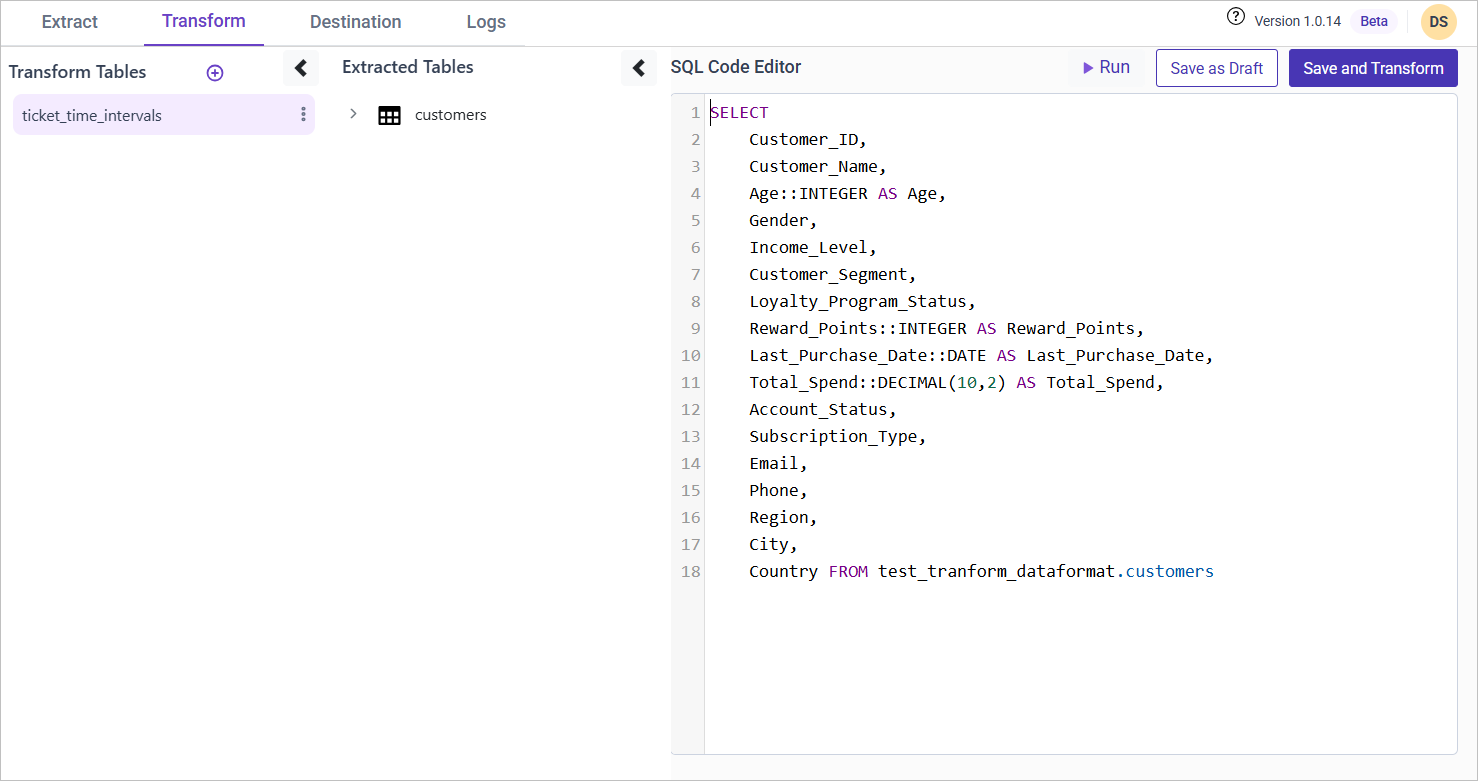
Ensuring data fields have the correct format is crucial for data integrity and analysis. This section covers converting key fields such as dates, amounts, and customer ratings into appropriate data types.
Approach
To standardize data formats, we apply the following transformations:
- Dates → Convert text-based dates to
DATEformat. - Amounts → Convert numeric values like total spend to
DECIMAL(10,2). - Customer Ratings → Ensure ratings are stored as
INTEGER.
SQL Query for Data Type Conversion
Use the following query to clean and standardize your dataset:
SELECT
    Customer_ID,
    Customer_Name,
    Age::INTEGER AS Age,
    Gender,
    Income_Level,
    Customer_Segment,
    Loyalty_Program_Status,
    Reward_Points::INTEGER AS Reward_Points,
    Last_Purchase_Date::DATE AS Last_Purchase_Date,
    Total_Spend::DECIMAL(10,2) AS Total_Spend,
    Account_Status,
    Subscription_Type,
    Email,
    Phone,
    Region,
    City,
    Country
FROM {pipeline_name}.customers;