
Churn Prediction and Transforming Data Using Bold Data Hub
In this article, we will demonstrate how to import tables from a CSV file, to predict churn using transformations, and move the cleaned data into the destination database using Bold Data Hub. Follow the step-by-step process below.
Sample Data Source:
Creating Pipeline
Learn about Pipeline Creation
Applying Transformation
-
Go to the Transform tab and click Add Table.
-
Enter the table name to create a transform table for customer satisfaction summary.
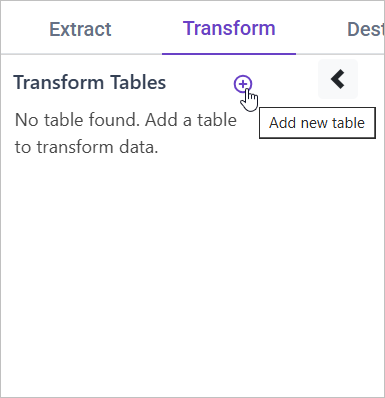
Note: The data will initially be transferred to the DuckDB database within the designated {pipeline_name} schema before undergoing transformation for integration into the target databases. As an illustration, in the case of a pipeline named “customer_service_data”, the data will be relocated to the customer_service_data table schema.
Learn more about transformation here
Churn Prediction Feature
Overview
Churn prediction models are used to forecast the likelihood of a customer discontinuing their relationship with a company. By creating features such as the time since the last contact, frequency of tickets, or changes in support issues, we can enhance the model’s ability to predict churn. These features provide valuable insights into customer behavior patterns and engagement.
Approach
We can derive the following features from support ticket data:
- Time Since Last Contact: The time difference between the most recent support ticket and the current date.
- Frequency of Tickets: The number of tickets raised by the customer within a given timeframe (e.g., monthly, quarterly).
- Changes in Support Issues: Tracking the nature or type of support issues over time to detect shifts that might indicate dissatisfaction.
SQL Query for Creating Churn Prediction Features
WITH Customer_Activity AS (
    SELECT
        Customer_ID,
        Customer_Name,
        MAX(Ticket_Creation_Date) AS Last_Interaction,
        COUNT(Ticket_ID) AS Total_Tickets,
        SUM(CASE WHEN Ticket_Status = 'Resolved' THEN 1 ELSE 0 END) AS Resolved_Tickets,
        AVG(Customer_Satisfaction) AS Avg_Satisfaction
    FROM {pipeline_name}.sample_csc_data
    GROUP BY Customer_ID, Customer_Name
)
SELECT
    c.*,
    (CURRENT_DATE - Last_Interaction) AS Days_Since_Last_Contact,
    (Resolved_Tickets * 1.0 / NULLIF(Total_Tickets, 0)) AS Resolution_Rate
FROM Customer_Activity c
ORDER BY Days_Since_Last_Contact DESC;