Cross Origin Resource Sharing Configuration
Think about a situation in which you want to update user information in Bold BI using a web app that is hosted in a different domain. To achieve this, you must make an API request from your web app, which is hosted in a different domain, to the Bold BI API domain. However, what if a fraudster uses an application interface that is identical to yours and utilizes this API to gain access to user data? The correct CORS configuration will prevent this type of attack and protect your application.
CORS is a browser security feature known as cross-origin resource sharing (CORS), which restricts cross-origin HTTP requests made by a browser. When an HTTP request is sent to a domain, sub-domain, port, or protocol different from the one it originated from, it is considered a cross-origin request.
How its works?
Browsers limit cross-origin HTTP requests due to security concerns. For example, when a browser requests data from one site to another, it makes cross-origin requests. The browser sends a pre-flight HTTP request with the OPTIONS method to the resource on the other domain before sending the actual request. This is done to ensure the safety of submitting the actual request. In the pre-flight request, the server includes headers in the responses it provides.
These headers are the pre-flight response:
- Access-Control-Allow-Origin
- Access-Control-Allow-Methods
- Access-Control-Allow-Headers
- Access-Control-Allow-Credentials
- Access-Control-Expose-Headers
- Access-Control-Max-Age
Based on the header values, the browser determines whether to send the actual request or not. Otherwise, the browser will throw a CORS error and will not send the actual request.
Important: Bold BI uses CORS for
XMLHttpRequestorFetchrequests to avoid the risks of cross-origin HTTP requests. This will not affect the iFrame-based embedding since this request will be considered as a document request, not anXMLHttpRequestorFetchrequest.
Default CORS policy in Bold BI
The default CORS policy automatically allows all cross-origin requests from cross-domains with different origins, methods, and headers.
Enabling CORS in Bold BI
The default CORS policy is used until you enable and customize the CORS settings in Bold BI. Please follow the steps below to enable CORS and customize it in Bold BI.
Steps to enable CORS
-
Please go to the administration page on the Bold BI site and click on the
CORS Policytab. Here, you can configure the CORS settings headers.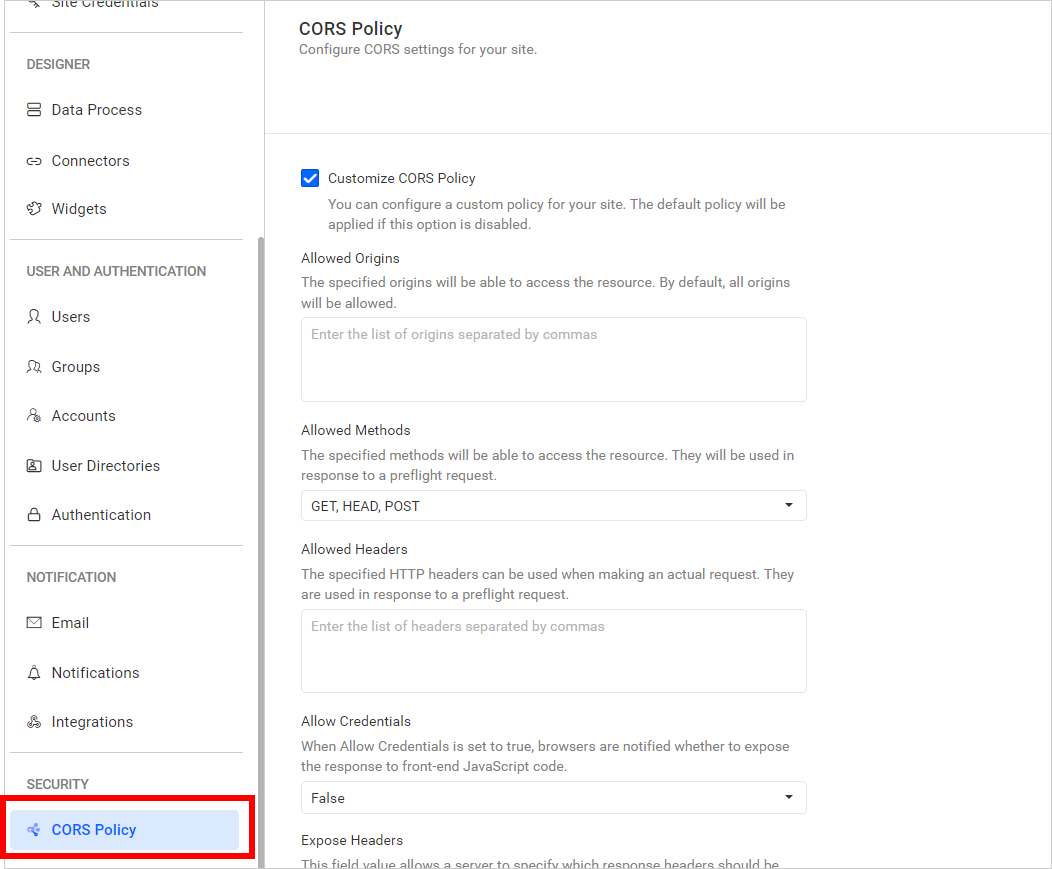
-
By default, it is disabled. You should enable the
Customize CORS Policyoption if you want to configure a custom CORS policy.
-
The application will include the value from the
Allowed Originsfield in the pre-flight response Access-Control-Allow-Origin header. The application will check the incoming origin value and include this origin in theAccess-Control-Allow-Originheader likeAccess-Control-Allow-Origin: <origin>if it is added to the Allowed Origins field. If no value is updated in this field, then it will include a wildcard origin value in the header likeAccess-Control-Allow-Origin: *.
A web browser will grant access to the actual request response if theAccess-Control-Allow-Originand the origin of the requesting website match or theAccess-Control-Allow-Originheader has a wildcard origin value.
-
The application will include the value from the
Allowed Methodsfield in the pre-flight response Access-Control-Allow-Methods header likeAccess-Control-Allow-Methods: <method>, <method>. If no value is updated in this field, then it will include a wildcard method value in the header likeAccess-Control-Allow-Methods: *.
A web browser will grant access to the actual request response if theAccess-Control-Allow-Methodsheader contains the requesting method or if theAccess-Control-Allow-Methodsheader has a wildcard allow method value.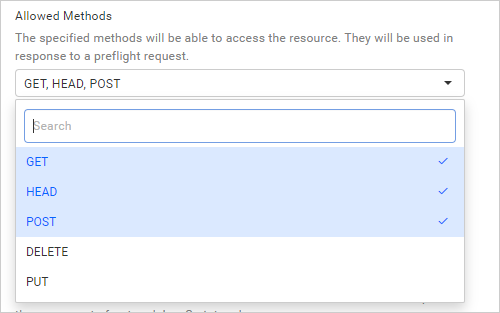
-
The application will include the value from the
Allowed Headersfield in the pre-flight response Access-Control-Allow-Headers header likeAccess-Control-Allow-Headers: <header name>, <header name>. If no value is updated in this field, then it will include a wildcard method value in the header likeAccess-Control-Allow-Headers: *.
If you send a custom request header with the request, the web browser will grant access to the actual request response if theAccess-Control-Allow-Headerscontains the custom request headers or if theAccess-Control-Allow-Headersheader has a wildcard allow header value.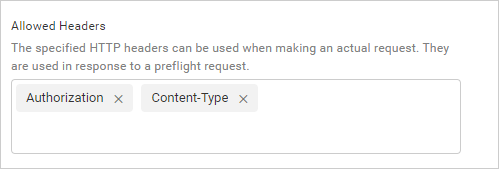
-
CORS automatically excludes cookies from cross-origin requests as a default behavior. This sets it apart from other cross-origin methods such as JSON-P, which always includes cookies in the request. This practice of including cookies in JSON-P requests exposes systems to a type of security vulnerabilities called cross-site request forgery (CSRF).
When we set “allow credentials” to true, the CORS response will be sent with the headerAccess-Control-Allow-Credentials: true. This informs the browser that both the server and the client must agree to include cookies in the request. As a result, cookies become a deliberate choice rather than an uncontrollable, passive event.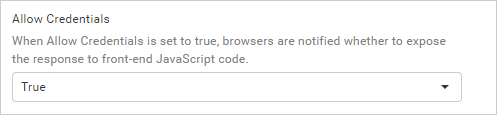
-
Application will include the value from the
Expose Headersfield in the pre-flight response Access-Control-Expose-Headers header likeAccess-Control-Expose-Headers: <header name>, <header name>. If no value is updated in this field, then it will include a wildcard header value in the header likeAccess-Control-Expose-Headers: *.
If theAccess-Control-Expose-Headerscontains response headers or a wildcard value for the exposed header, the web browser is able to access and read the response header at the script level. By default, only the response headers that are deemed safe according to CORS guidelines are exposed, such asCache-ControlandContent-Type.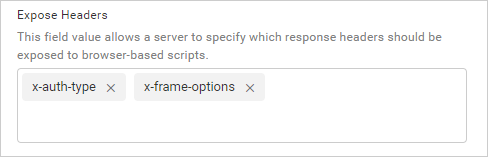
-
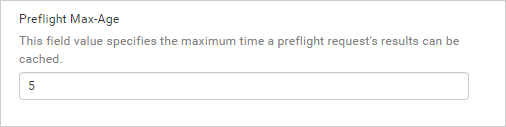
The application will include the value from the pre-flight Max-Age field in the pre-flight response’s
Access-Control-Max-Ageheader, likeAccess-Control-Max-Age: <delta-seconds>. If no value is updated in this field, then it will include a default value in the header, likeAccess-Control-Max-Age: 5.
The value in the response header indicates the duration for which the results of a pre-flight request (specifically the information in the Access-Control-Allow-Methods and Access-Control-Allow-Headers) can be cached in the browser.