OpenID Connect support in User Management Server
The User Management Server can be configured to support OpenID Connect for Single Sign-On (SSO), allowing users to log in directly to the User Management Server after authenticating using OpenID Connect.
Configure OpenID Connect provider
-
Create an account with an OpenID provider.
-
Register the User Management Server in the OpenID Connect provider.
Steps to configure OpenID in User Management Server
-
Log in to Bold ID with admin credentials.
-
In the left side menu, click
Settings, thenAuthentication, and finallyOpenID Connect.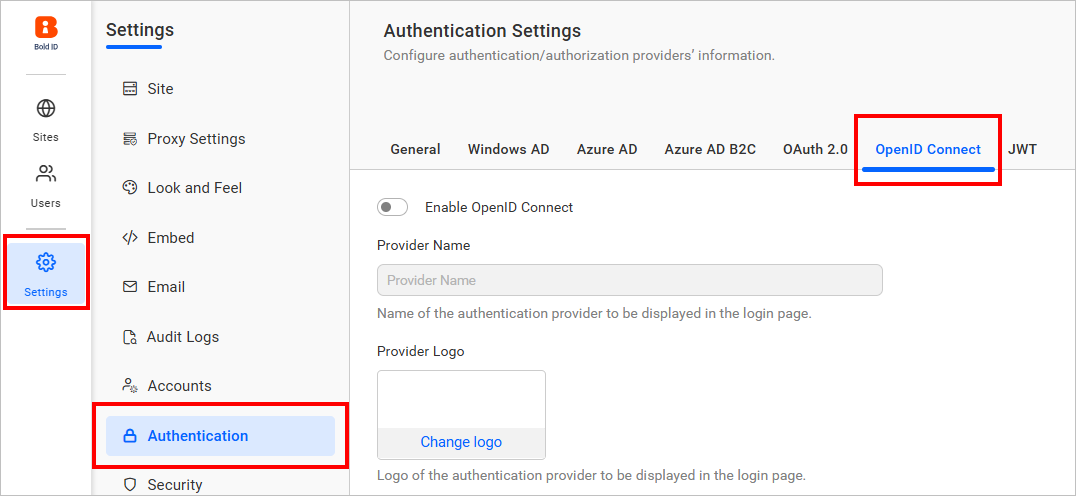
-
Provide the necessary details in the
OpenID Connectsettings page of the User Management Server.Provider Name It represents the name of the authentication provider that will be displayed in the login page. Provider Logo It represents the logo of the authentication provider that will be displayed in the login page. Authority It is the instance created for the user in the provider. Client ID It is an unique identifier provided to each of the applications while registering in the providers. Client Secret It is a secret key that is used to authorize the applications. Identifier It is the property name that holds the email address of the user in the deserialized ID token. 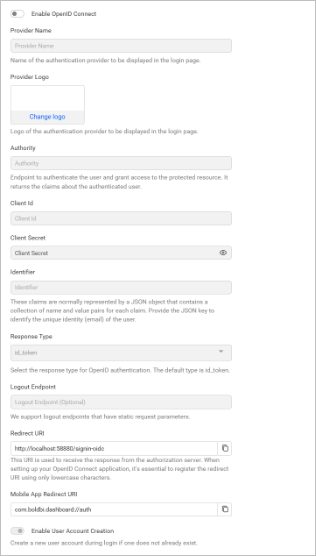
If you need to import the OpenID Connect groups, you must configure the group details while saving the OpenID authentication settings.

The following list of OpenID Connect providers explains how to connect with the User Management Server:
Set OpenID Connect as default authentication
OpenID Connect can be set as the default authentication when OpenID Connect settings are enabled.
Follow these steps to configure default authentication:
-
In the settings page, click on the
Authenticationtab and selectGeneral. -
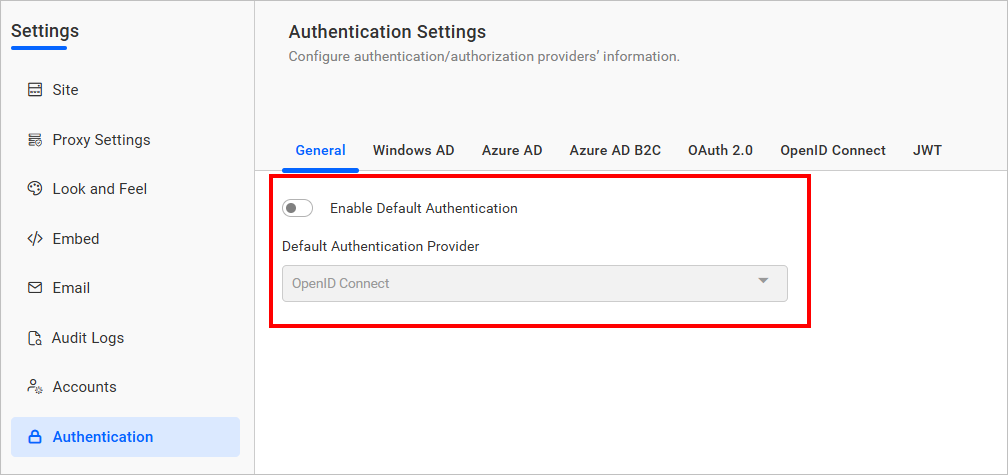
Enable the Enable Default Authentication option and select OpenID Connect as the default authentication provider, as shown in the following screenshot.
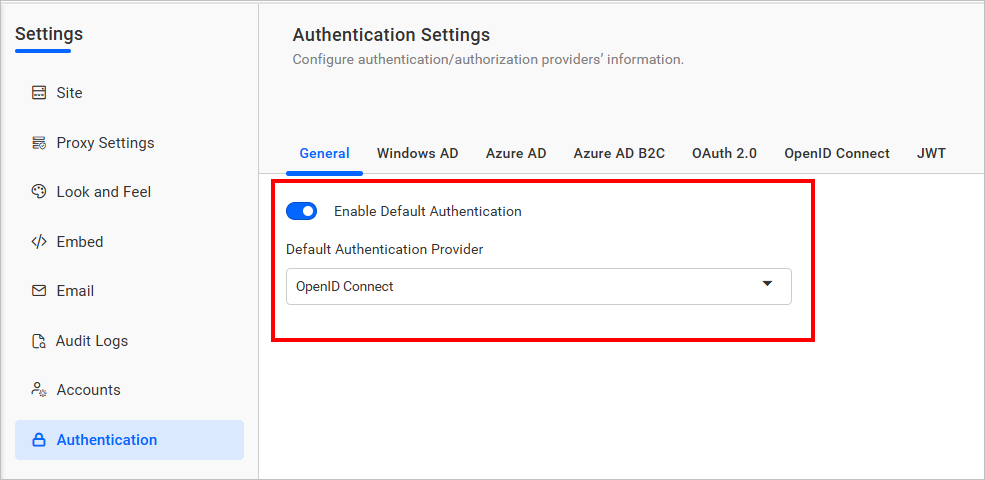
Disabling OpenID connect settings
Disabling the Enable Default Authentication option and then clicking Save will disable the OpenID Connect default authentication.