
Embed Using Embed Secret Token
You can securely embed Bold BI dashboards, widgets, or data sources into your web application using token-based authentication
How It Works
- This method uses an embed secret key to generate a unique signature.
- It allows authorized users to bypass the login prompt.
- You must include mandatory parameters such as:
embed_nonce: A random GUID to prevent tampering.embed_user_email: The email address of the user.
Using Bold BI UI to Get Embed URL
The simplest way to get an embed URL with a signature is through the Bold BI UI. Follow these steps:
-
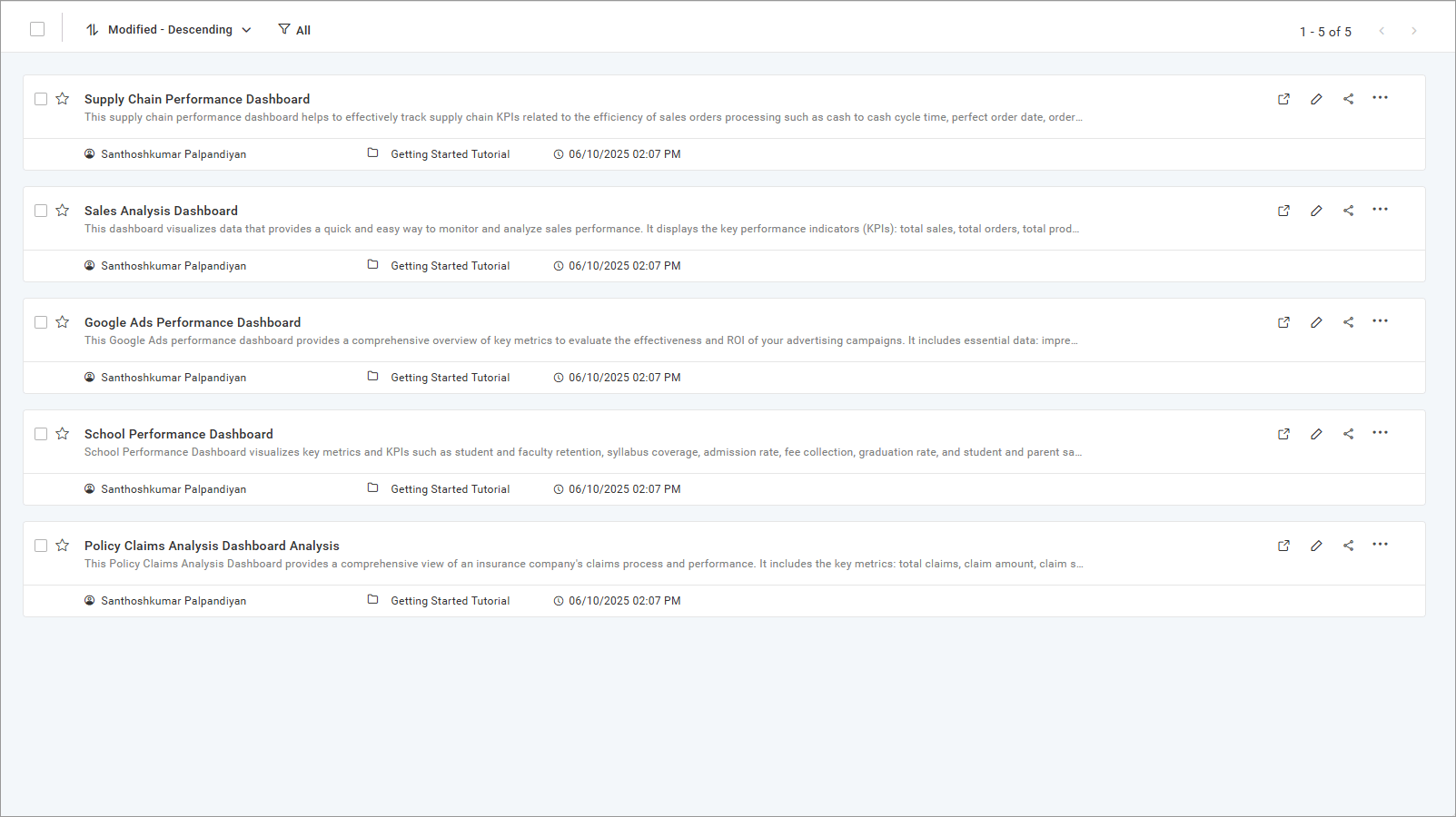
Click the context menu of the desired dashboard and select
Get Embed Code.
-
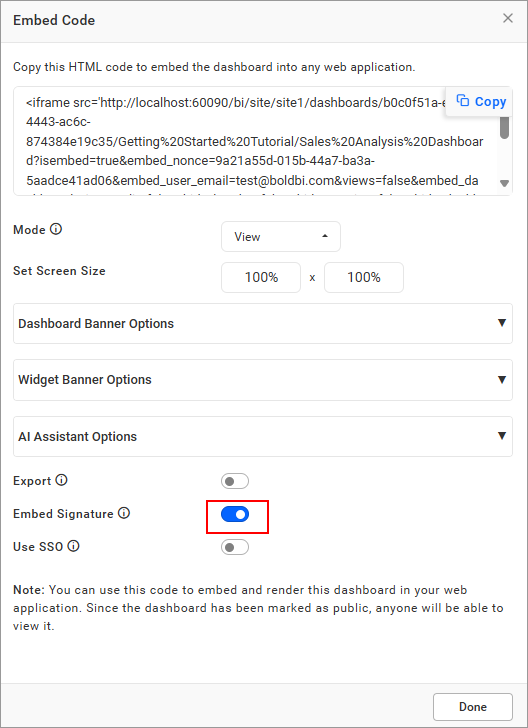
Enable the Embed Signature option and select
Viewmode to render the dashboard.
-
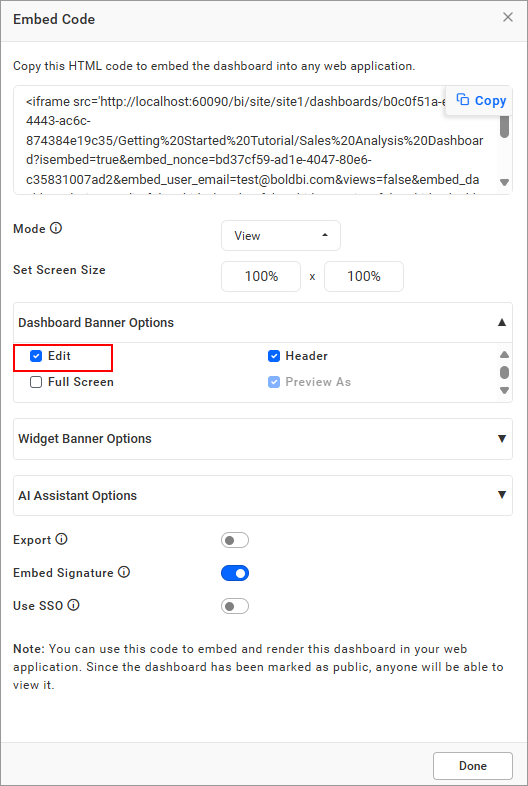
Enable desired dashboard options (e.g., comments, export) using the buttons in the embed dialog.
-
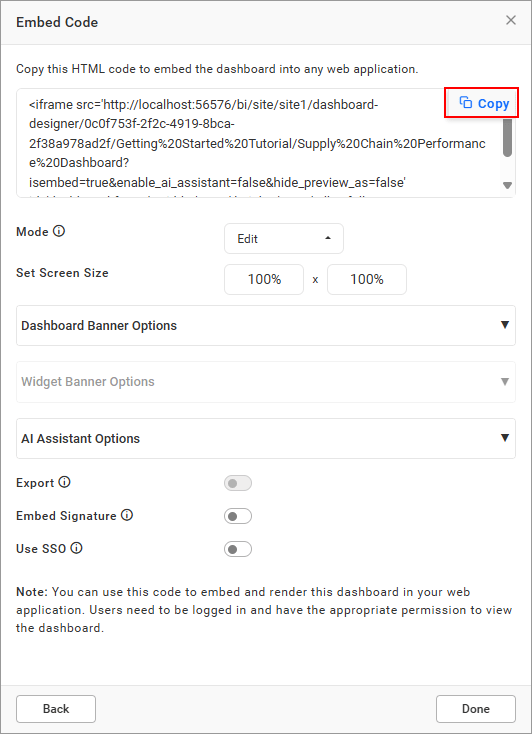
Copy the embed URL by clicking the copy icon.
-
Embed the URL in an iFrame in your application.
Important Note: The copied URL includes a signature valid only for parameters configured in the Bold BI UI. Adding or removing parameters after copying invalidates the signature, breaking the URL. To fix this, regenerate the URL and signature.
Sample Applications
For advanced customization, such as applying row-level filters or parameters not supported in the UI, refer to these samples: