
How to configure SSL for Bold BI application.
Single container deployment
-
From the docker-compose yaml file add below line under volume in the
boldbiservice.- nginx_data:/etc/nginx/sites-available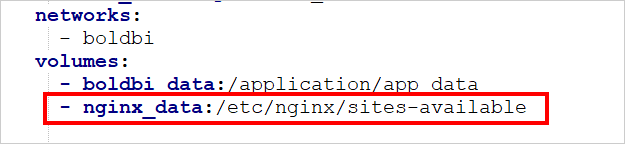
-
Add below block for
nginxin volume and allocate a directory in your host machine to store the shared folders for applications usage. Replace the directory path with<host_path_nginx_data>in docker-compose.yml file and up a container.nginx_data: driver: local driver_opts: type: 'none' o: 'bind' device: '<host_path_nginx_data>'For example,
Windows:device: 'D:/boldbi/nginx_data'anddevice: 'D:/boldbi/nginx_data'
Linux:device: '/var/boldbi/nginx_data'anddevice: '/var/boldbi/nginx_data' -
Copy the SSL certificate
.keyand.crtformat and paste inside thenginxmount folder. -
Refer below document for SSL changes in
nginxfile .https://github.com/boldbi/boldbi-docker/blob/main/docs/ssl-termination.md
-
Add
- 443:443in ports section from docker-compose.yaml file. -
Restart the Bold BI container using below command.
docker restart <container-name or container ID>
Multi container deployment
-
Add a SSL certificate path with
.keyand.crtfile in docker-compose yaml file.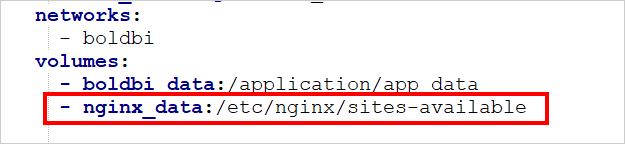
-
Refer below document for SSL changes in
nginxfile .https://github.com/boldbi/boldbi-docker/blob/main/docs/ssl-termination.md
-
Uncomment the
- "443:443"in reverse-proxy service.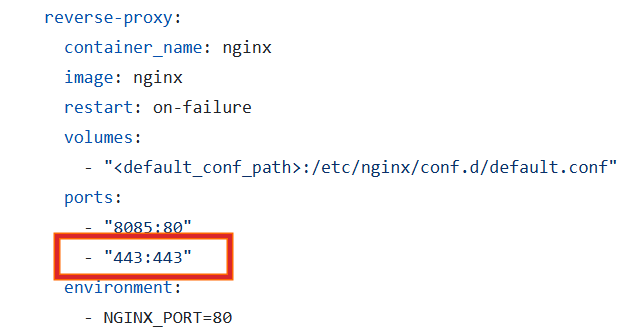
-
Restart the Nginx container using below command.
docker restart <container-name or container ID>