
Upgrade to latest Bold BI Enterprise Edition latest version
To upgrade the Bold BI Server VM to the latest source from older versions, follow these steps:
-
Connect to the Bold BI Server VM using a Remote Desktop Connection (RDP) by clicking on Connect in the virtual machine window. A Remote Desktop Protocol (
.rdp) file will be downloaded from the Azure portal.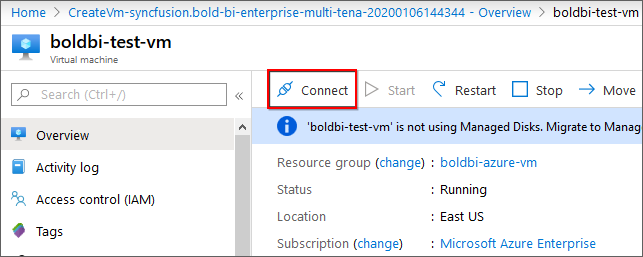
-
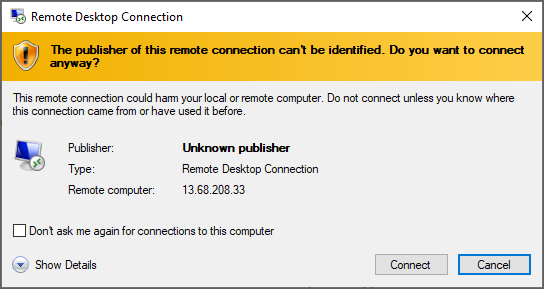
Open the downloaded .rdp file and click on Connect when prompted with the unknown publisher warning.
-
Enter the credentials provided when deploying the VM and click
OK.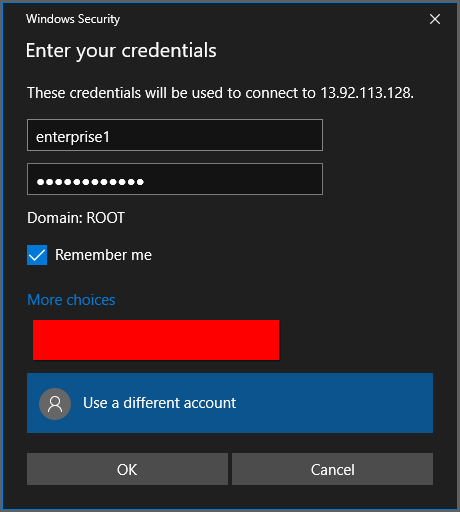
-
Upon successful connection, an identity verification window will appear. Click on
Yesto accept the certificate problems and connect to the virtual machine.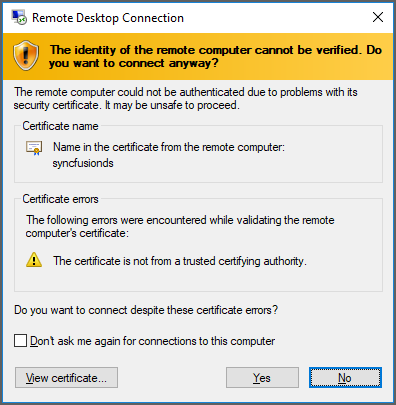
-
Once connected to the virtual machine, follow the provided steps to upgrade the Bold BI Server to the latest version.