Deploy Bold BI on an ECS Fargate cluster using an Application Load Balancer
Prerequisites
- ECS cluster - Create an ECS Cluster
- EFS - Create EFS Resources
All resources should be in the same security group and VPC.
Steps to deploy Bold BI application on an ECS Cluster
-
Create the task definition for the Bold BI application using the following details. Follow this document to learn more about ECS task definitions.
- Requires compatibilities - FARGATE
- Operating system family - Linux
- Memory - 4 GB RAM
- CPU - 2-core
- Volumes - Add the EFS volume details in the Volumes section
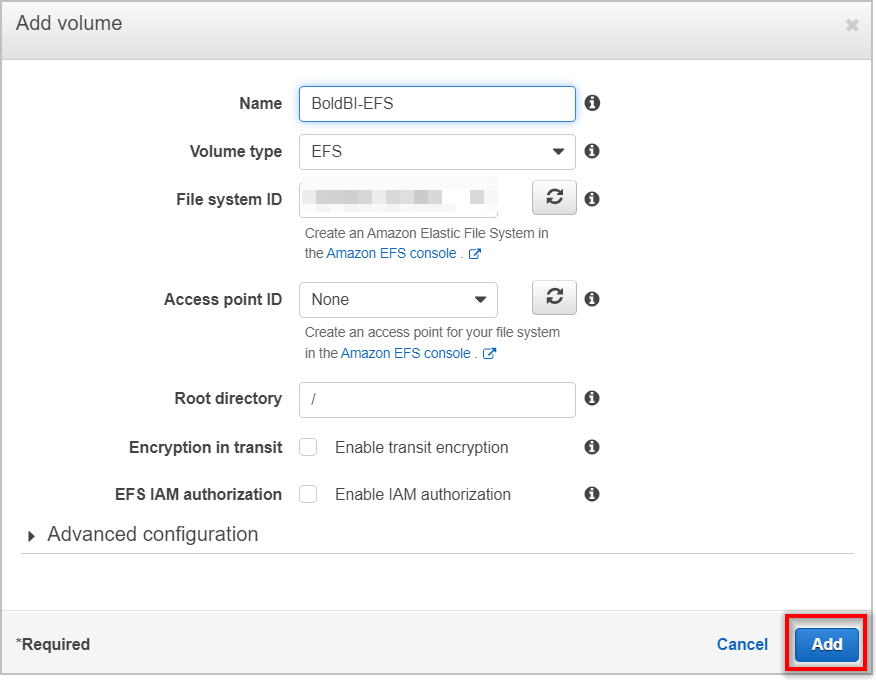
- Add container - You can refer to this documentation for Bold BI docker image details.
- Image - syncfusion/boldbi
- Port mappings - 80 and tcp
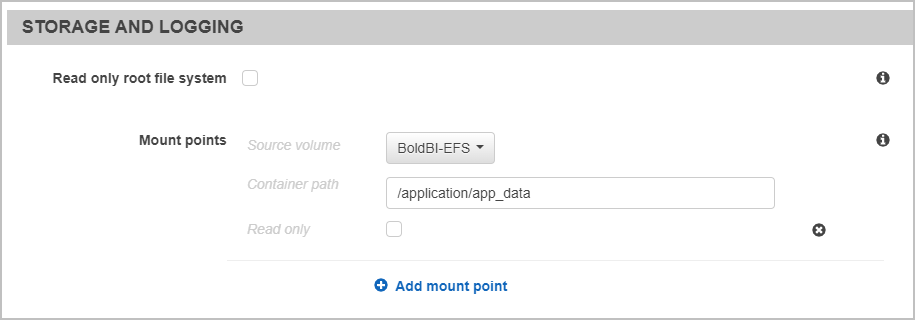
- STORAGE AND LOGGING
Container path - /application/app_data
- Save the template.
-
Go to the Cluster and create the service by following below steps: Navigate to = Amazon Elastic Container Service —> Clusters —> Cluster name —> Services —> Create
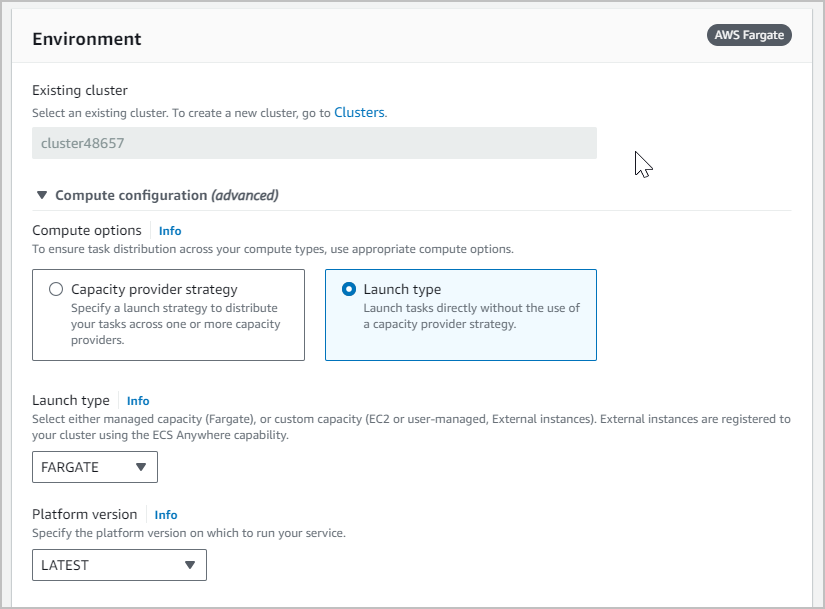
Environment:
- Launch type - Fargate with Latest version
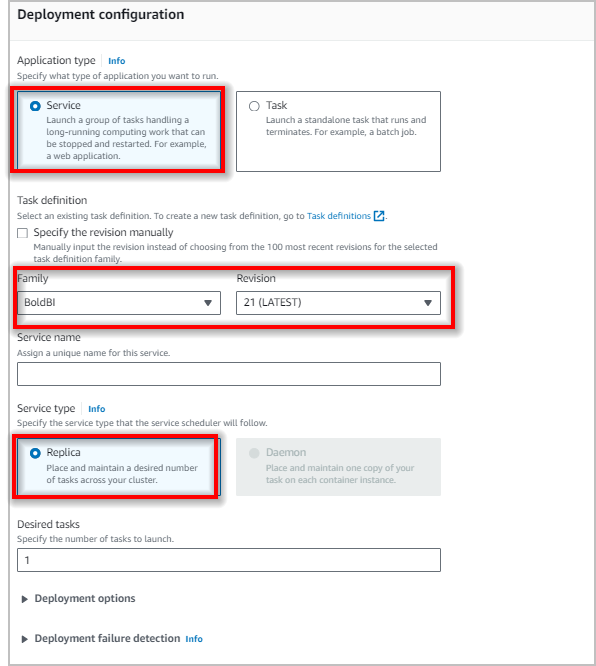
Deployment configuration
- Application type is service and select the task definition created in Step 1.
- Desired tasks - 1
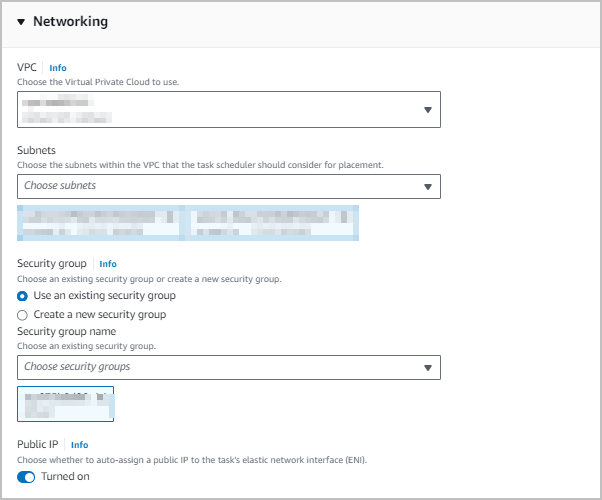
Networking
- Please use the same VPC, subnet, and security group that are used for the Cluster, Load balancer, and EFS.
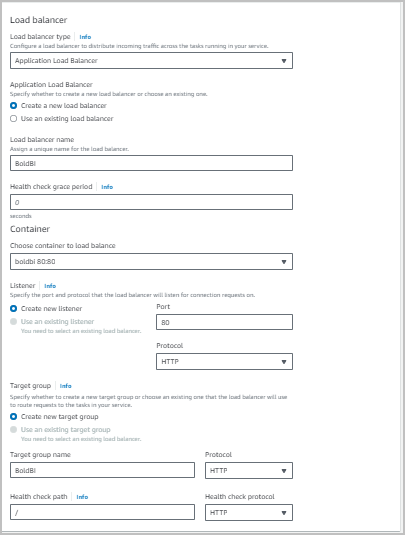
Load balancing
-
Follow the document below to create the Load balancer with target group in ECS service
https://docs.aws.amazon.com/AmazonECS/latest/userguide/create-load-balancer.html
- Launch type - Fargate with Latest version
-
Now, create the service.

-
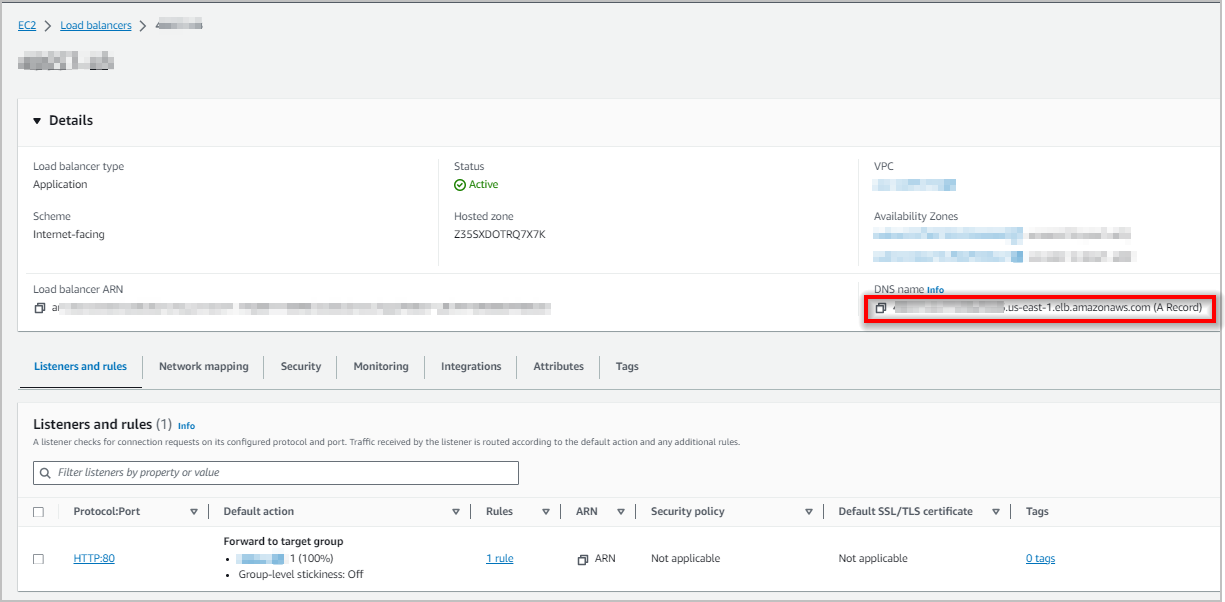
Once service is Up and running you can access the Application using Application Load Balancer DNS.