
Managing AI Features
AI features can be enabled or disabled individually for the specified site using toggle options for Widget Insights, Dashboard Summary, and AI Assistant.
Guidelines for Managing AI Feature Visibility
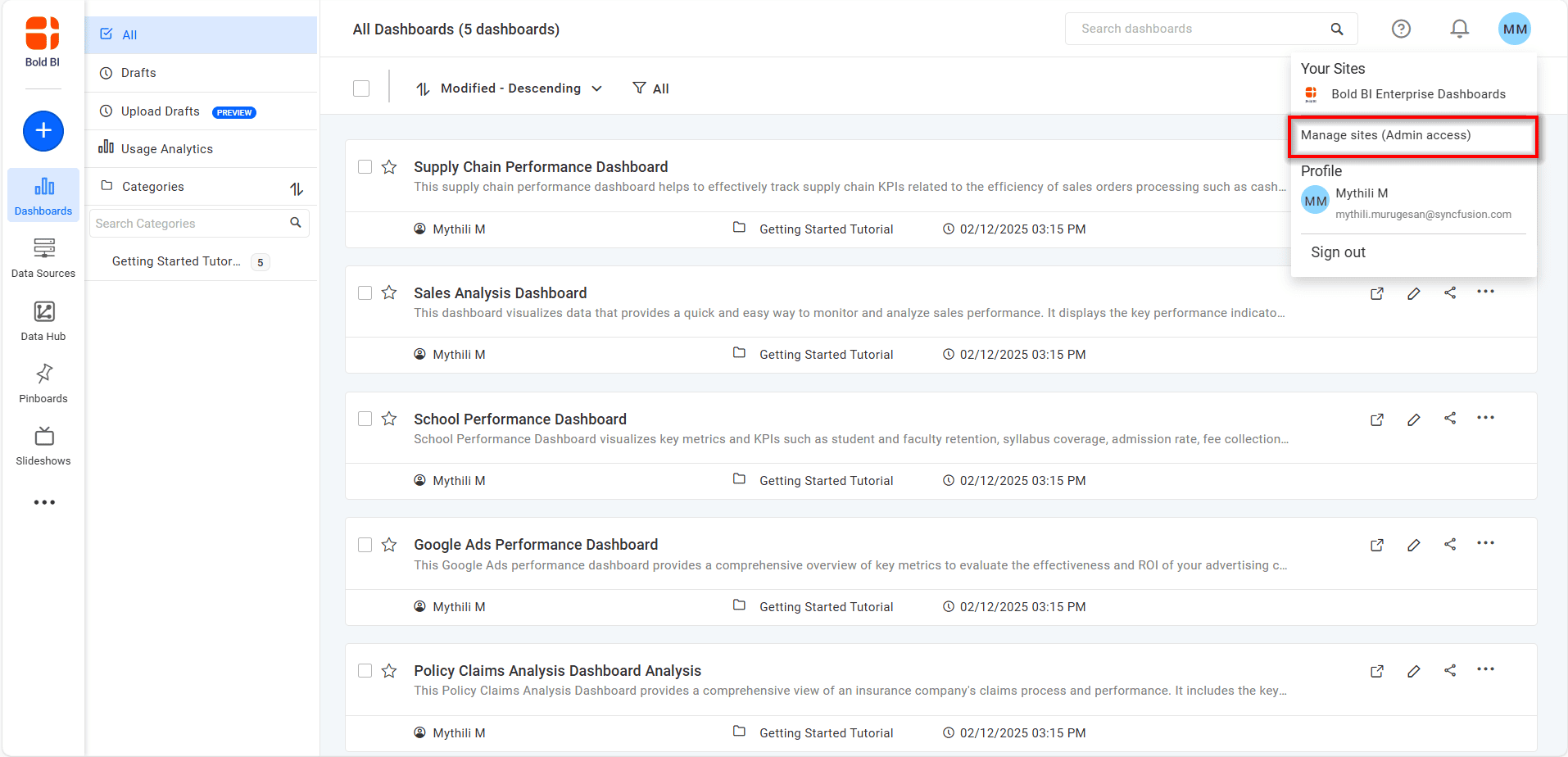
- Select the
Manage Sitesoption from the profile icon.
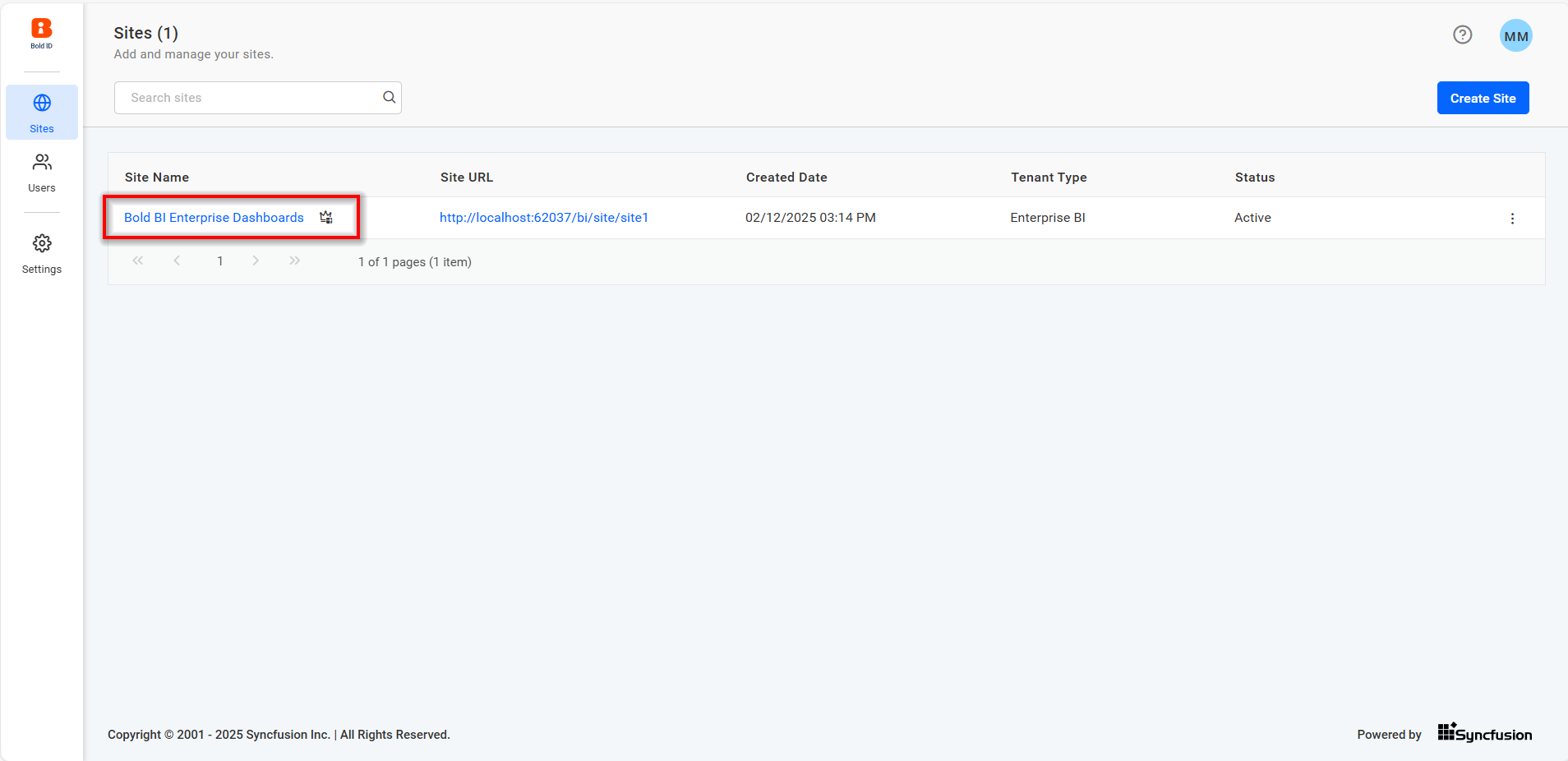
- On the Manage Sites page, choose the site for which you want to adjust AI feature visibility.
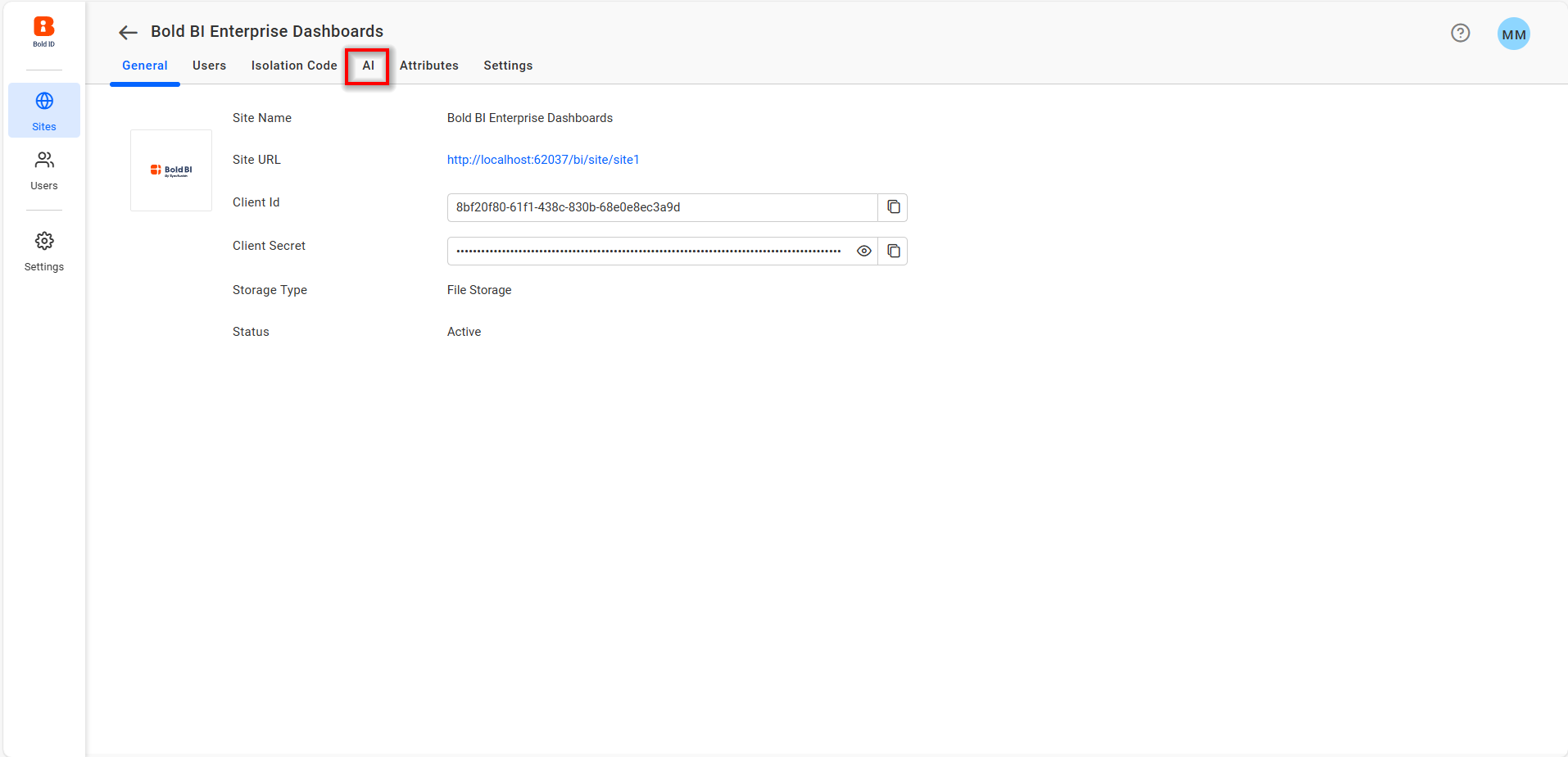
- On the site settings page, go to the AI tab and configure the visibility of the AI features.
- Enable or disable each feature independently, then save the changes to apply the visibility.
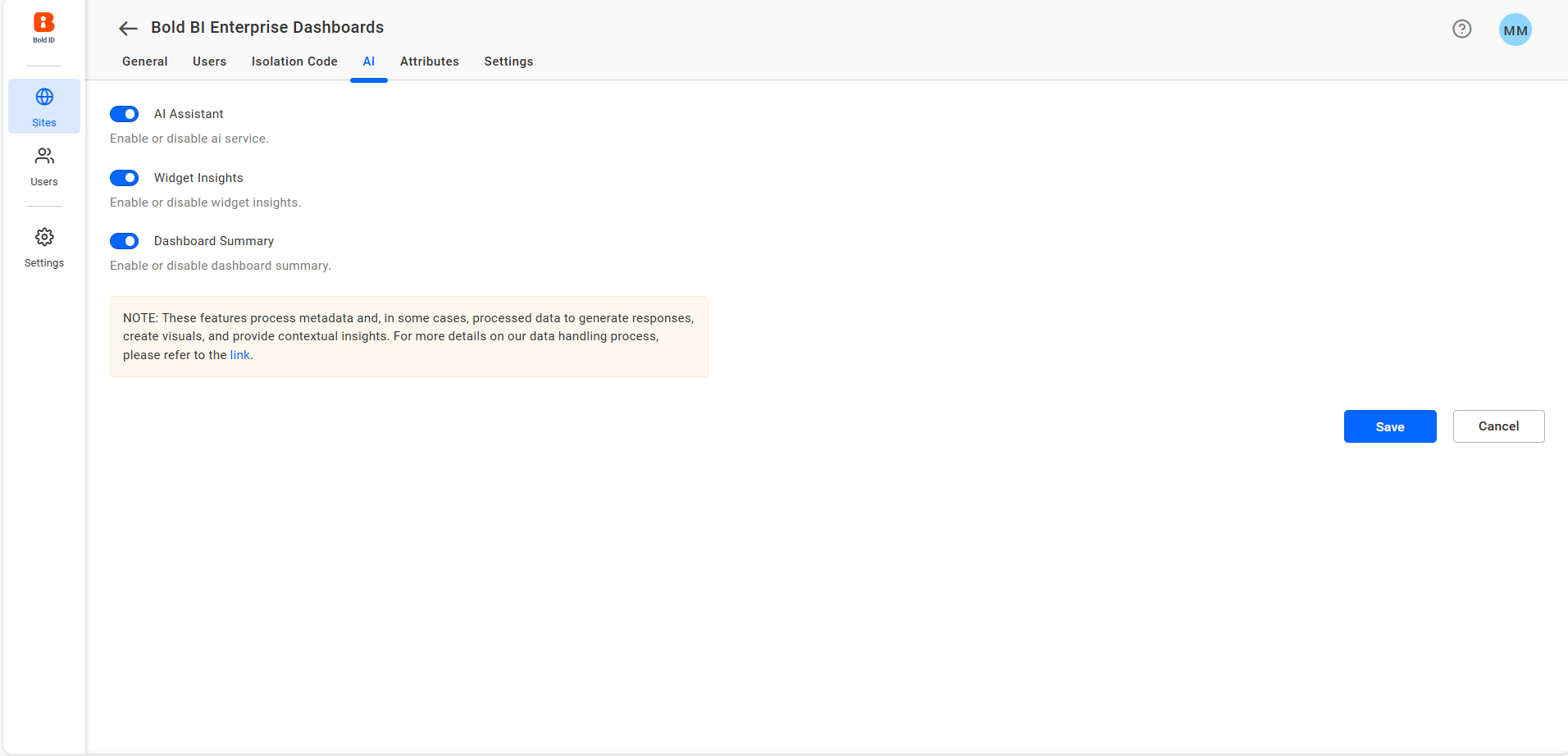
Instructions for Enabling or Disabling AI Features
AI Assistant
- Toggle the AI Assistance option to enable or disable AI chat assistance then save your changes.
Widget Insights
-
Toggle the Widget Insights option to manage widget insights, then save your changes
-
When enabled, widget insights will be visible for all supported widgets.
-
When disabled, no widget insights will be shown for any widget on the selected site.
-
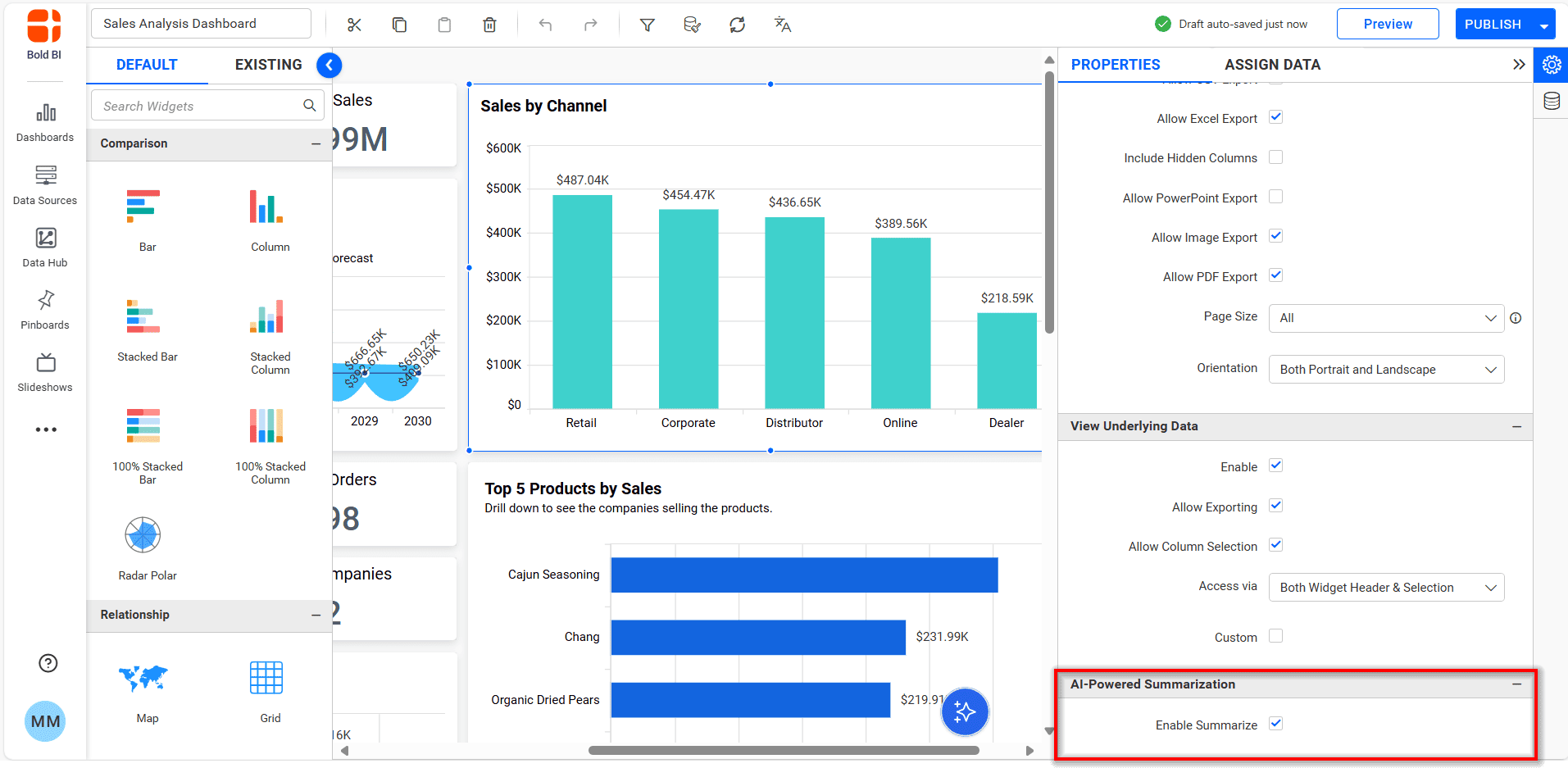
Widget insight can be enabled or disabled for a specific widget by selecting the widget and clicking on widget properties to check or uncheck the Enable Summarize property.
Dashboard Summary
-
Toggle the Dashboard Summary option to enable/disable the dashboard summaries, then save changes.
-
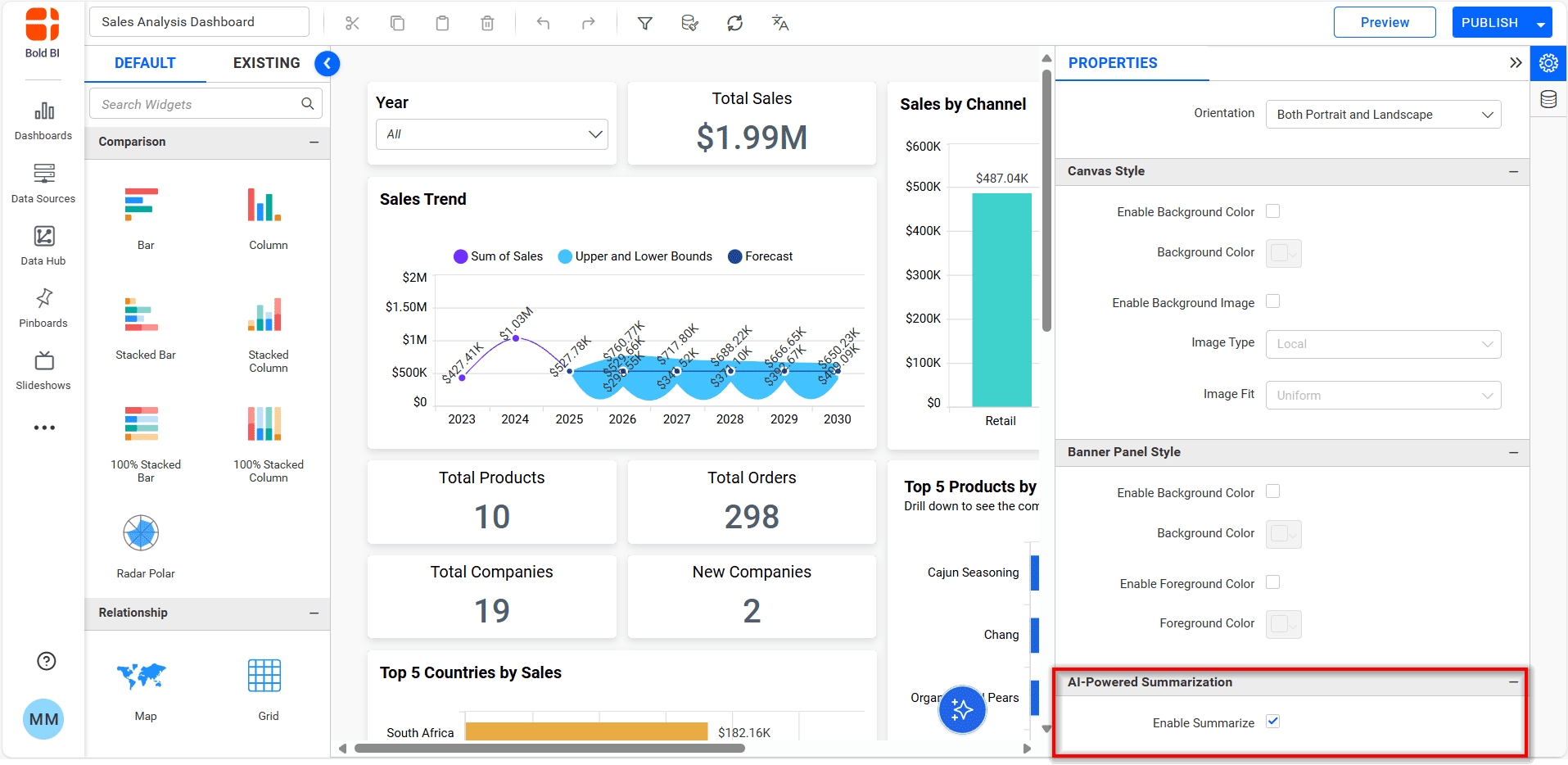
The dashboard summary can be enabled or disabled for a specific dashboard by opening the property panel and check/uncheck the Enable Summarize property.
Note: AI features are only available for
On-Premiseusers.